Version 15.0 AF-5000 Series Pilot Guide 19
EFIS Display Layout
Screen Selection
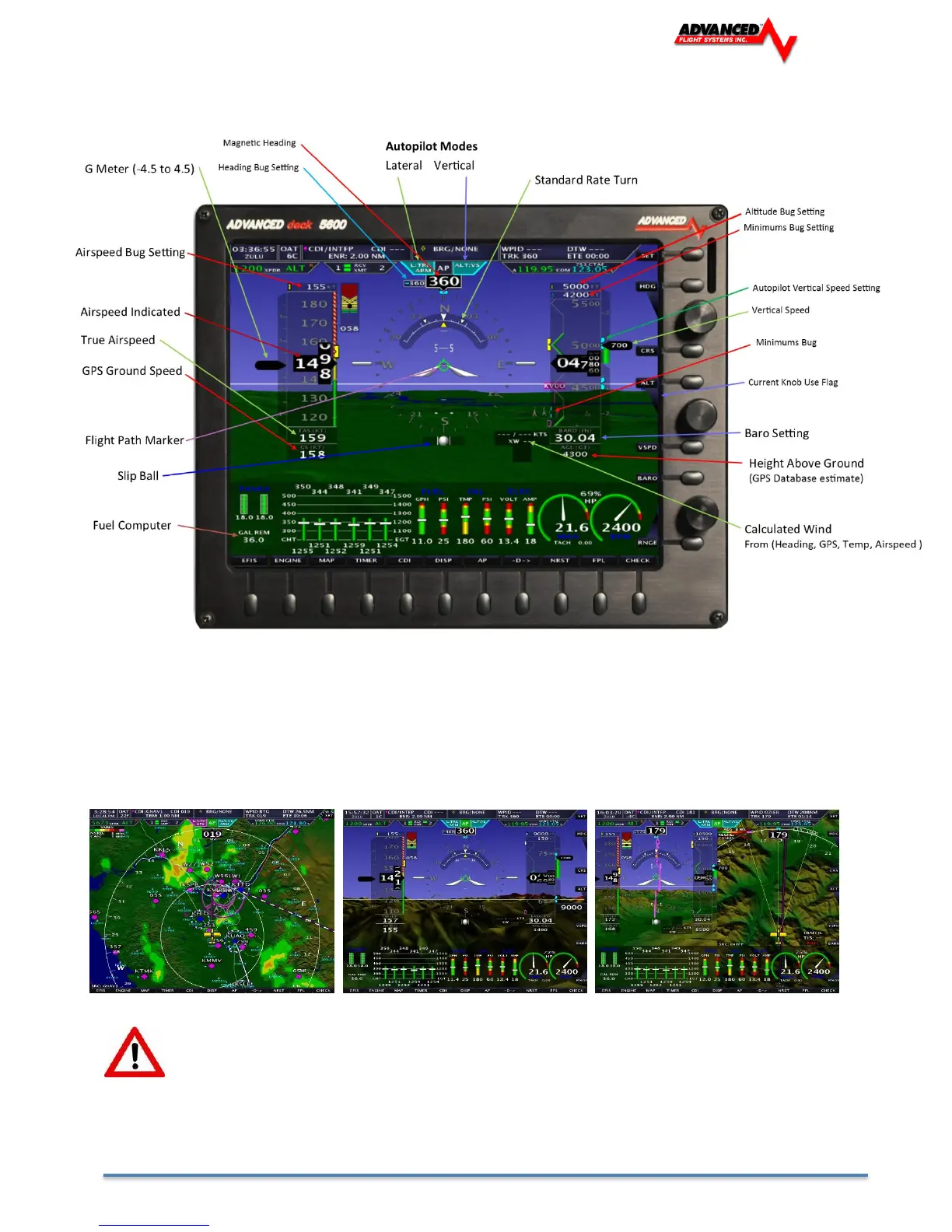
The first three buttons on the screen bottom row [EFIS], [ENGINE], [MAP] control what is displayed on the EFIS screen.
There are additional options available for each item that pop up when the button is pressed. The button layout is
configured so that a double press of the button always changes the item from (OFF to ON) or (ON to OFF) for simplified
operation.
Depending on what you have selected to display any of the (EFIS, ENGINE, MAP) displays can be one third, half ,or full
screen.
If the EFIS Horizon has been turned off double pressing Button 1 should turn it ON.



 To Next Page