Version 15.0 AF-5000 Series Pilot Guide 20
Screen Selection using Touch Gestures
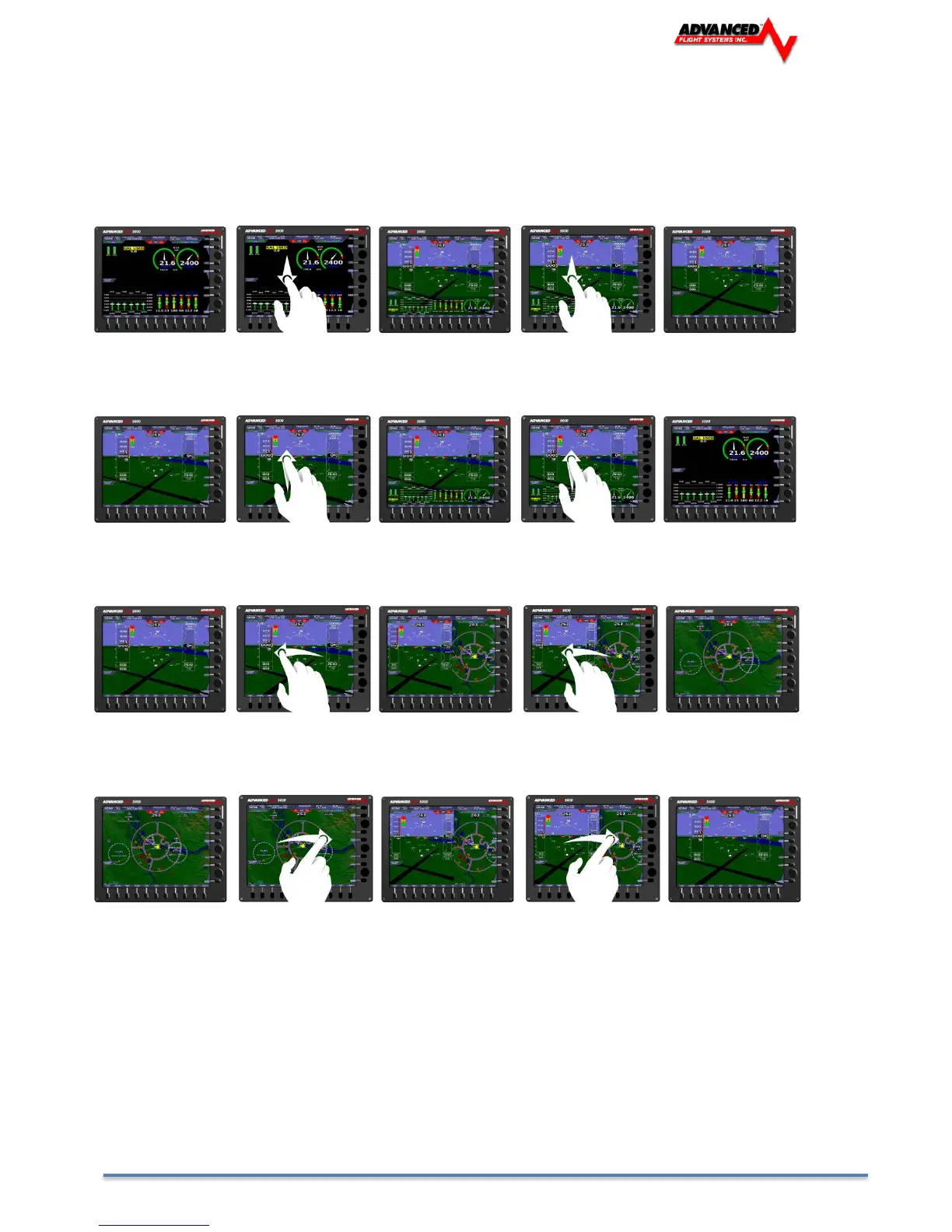
A single finger touch and drag with longer than 1 inch of travel will cause the screen to change views as described
below:
A single finger swipe in the downward direction will cause a screen in full engine view to minimize to half engine view. A
screen in half engine view will change to no engine view.
A single finger swipe in the upward direction will cause a screen in full EFIS view to bring up half engine view. A screen
in half engine view will change to full engine view.
A single finger swipe in the left direction will cause a screen in full EFIS view to bring up half map view. A screen in half
map view will change to full map view.
A single finger swipe in the right direction will cause a screen in full map view to bring up half EFIS view. A screen in half
EFIS view will change to full EFIS view.



 To Next Page