Version 15.0 AF-5000 Series Pilot Guide 70
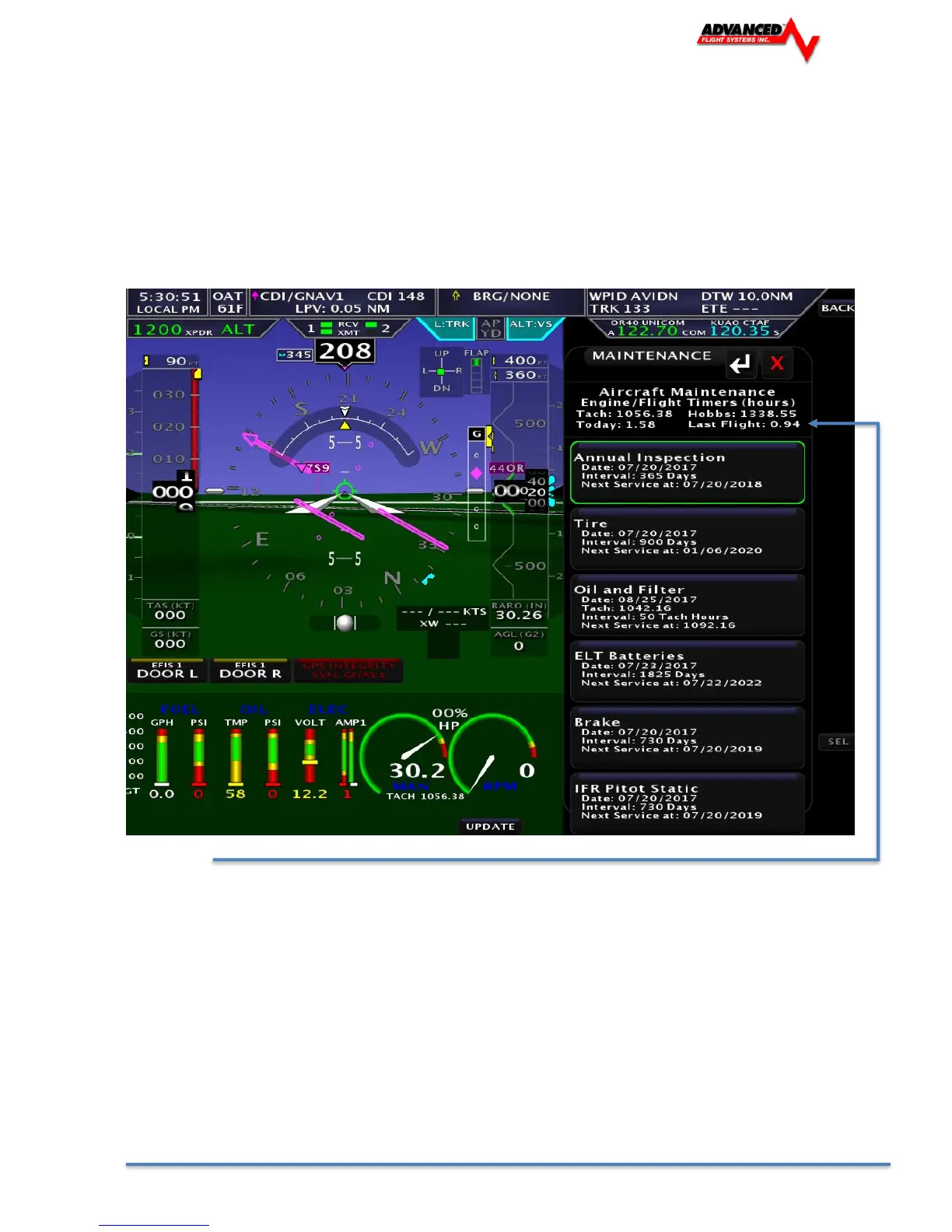
Maintenance Page
You bring up the Maintenance Page by pressing the CHECK > MAINT button.
You can update the date of any of the maintenance items by selecting the item using the joystick and
then pressing the [UPDATE] button. To edit the maintenance items, you will need to do the following:
• Transfer Maintenance file to the USB or SD card SET > CAL > Admin Settings > Transfer >
Maint > Save
• Edit file with a PC text editor
• Transfer Maintenance file from the USB or SD card SET > CAL > Admin Settings > Transfer >
Maint > Restore
Flight Times
Flight times are displayed on the top of the maintenance check list page. Press the [CHECK] -> [MAINT]
Tach Time: Hours on engine above 1250 RPM.
Hobbs Time: Hours on engine above 0 RPM.
Last Flight: Hobbs time for the last flight.
Today: Hobbs time since 12:00 AM today.



 To Next Page