Version 15.0 AF-5000 Series Pilot Guide 31
MDA/DH Alerting
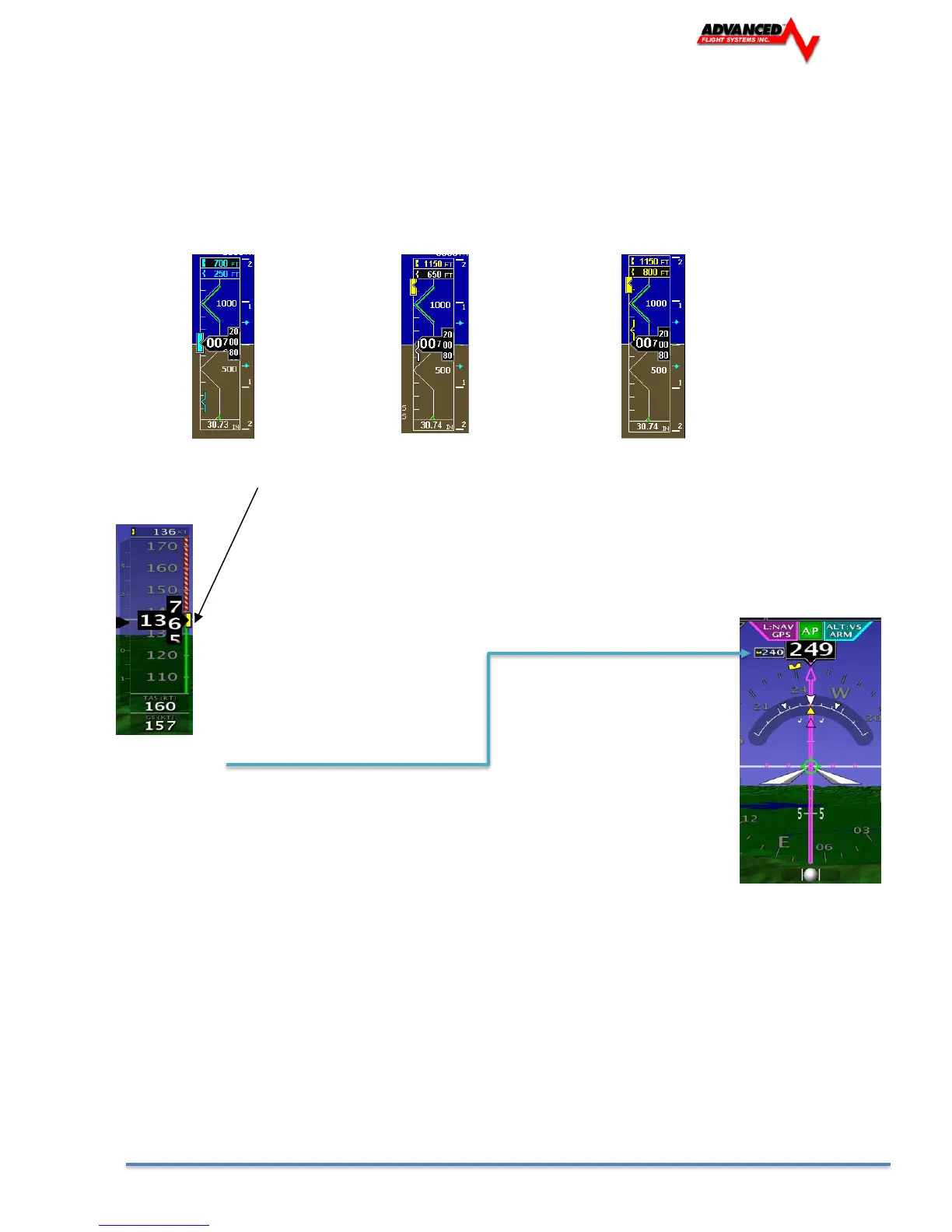
The MDA Alerting function provides visual and voice “MINIMUMS” alerts when approaching the Bug.
• Upon passing through 100 feet of the Selected Altitude, the Bug changes from Cyan to White.
• After reaching the Selected Altitude the Bug changes from White to Yellow, and the voice alert
“MINIMUMS” is generated.
Altitude > 100’ of MDA Bug 100’ > Altitude > MDA Bug Altitude < MDA Bug “MIMIMUMS”
Airspeed Bug
The Airspeed Bug can be turned on and off from the [SET] -> [EFIS] -> [IAS BUG]
menu. If the Airspeed Bug is on, it can be selected by pressing [SET] and rotating the
knob labeled [IAS]. will set the desired airspeed bug location. Holding the knob down for
two seconds will sync the airspeed bug to the current airspeed. The box on the top of the
airspeed tape shows the current bug location and will have a black background when
selected.
Heading Bug
The Heading Bug can be turned on and off from the [SET] -> [EFIS] -> [HDG BUG] menu. If the
Heading Bug is on and selected, it can be rotated to adjust heading. Pressing the button above
the HDG knob will also bring up a numeric input on the lower row of buttons. Holding the knob
down for two seconds will sync the heading bug to the current magnetic heading. The text next
to the heading box shows the current bug location and will have a black background when
selected. Touch Screen equipped displays recognize a touch and drag of the Heading Bug.


 To Next Page
 Loading...
