Installation and Operation Manual S400 series 13
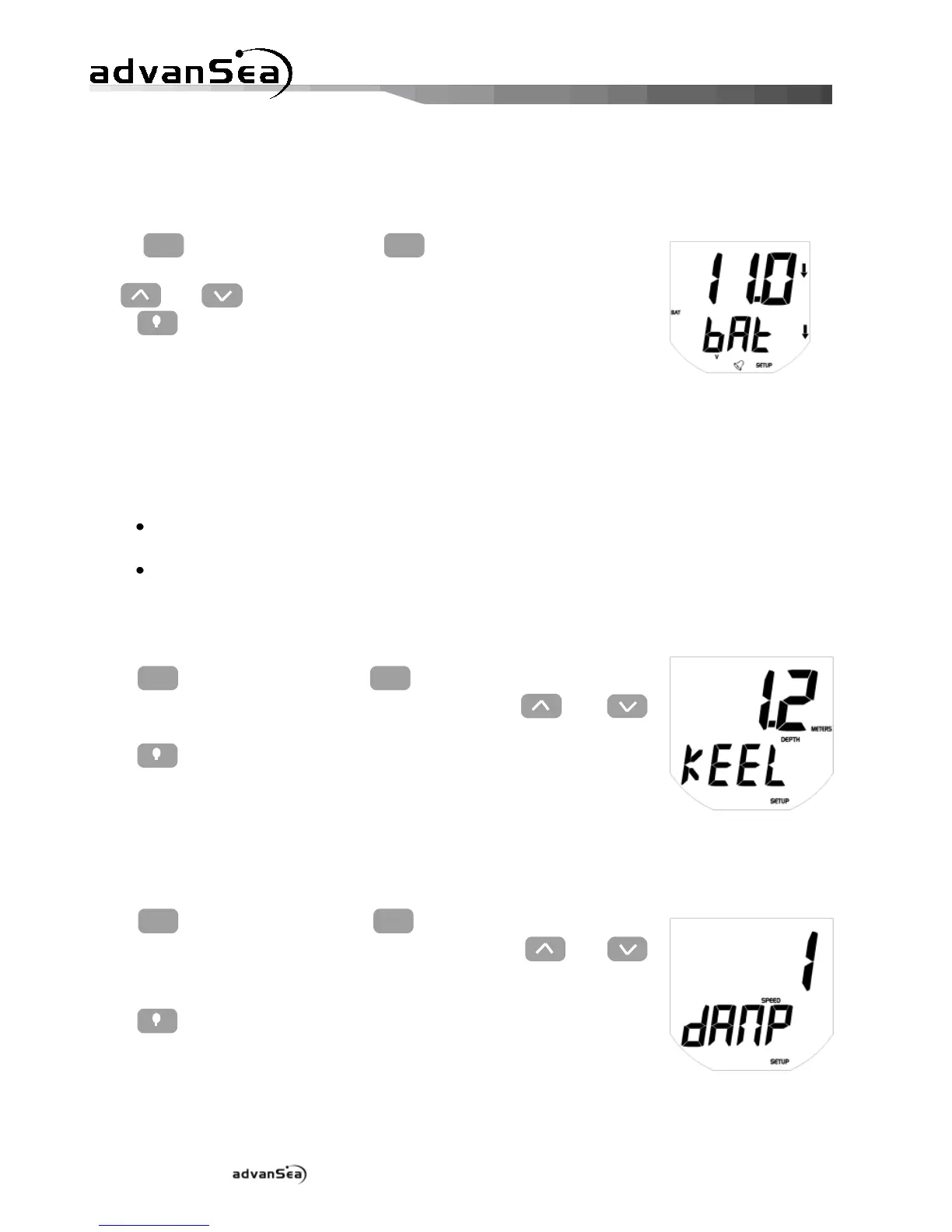
2.3.3. Setting the battery alarm threshold
The battery alarm allows you to monitor the supply voltage to your installation. This is
important, particularly for good sounder performance.
Press
to display the "bAt" low
threshold page, then adjust the required value of the threshold using
the and keys.
Press to exit setup mode, or time out after 10 seconds.
2.4. Configuration
2.4.1. Keel offset
The depth displayed on the Multi display represents the distance between the probe mounted
on the hull and the bottom, plus or minus the keel offset:
For a positive offset, the depth is measured from a point located above the probe
(Depth = distance between probe and bottom + Offset).
For a negative offset, the depth is measured from a point located below the probe
(Depth = distance between probe and bottom - Offset).
To adjust this offset:
Press
until the "kEEL offset page is
displayed, then adjust the required value using the and
keys.
Press to exit setup mode, or time out after 10 seconds.
2.4.2. Speed damping
A damping coefficient is available to the user for boat speed. Depending on navigation
conditions, this parameter can be adjusted to between 1 and 30.
Press
until the "dAMP" setup page
is displayed, then adjust the required value using the and
keys.
Press to exit setup mode, or time out after 10 seconds.


 To Next Page