Installation and Operation Manual S400 series 15
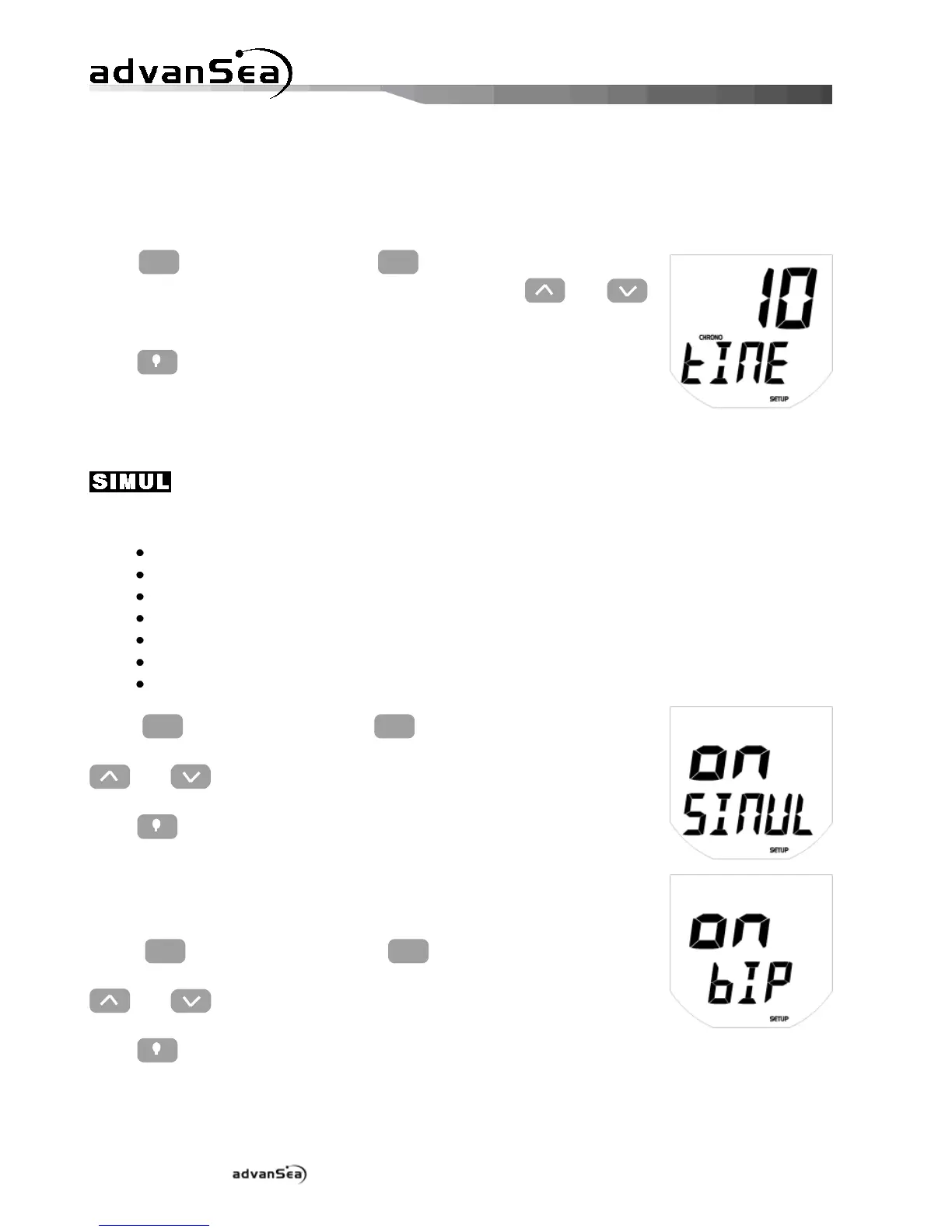
2.4.6. Configuring the countdown timer
The duration of the countdown can be configured to the nearest minute, between 1 and 10
minutes.
Press
until the "tIME" setup page
is displayed, then adjust the required value using the and
keys.
Press to exit setup mode, or time out after 10 seconds.
2.4.7. Simulation mode
Simulation mode can be accessed via the Configuration menu. This mode is shown by the icon
flashing on the LCD and remains active after power has been cut off. It may be used
for sales demonstrations of the product and features the following functions:
Displays a coherent bottom profile (in distance and variation),
Displays a coherent boat speed (in absolute value and in acceleration),
Displays a speed over ground related to the simulated boat speed,
Displays a coherent water temperature,
Displays the real supply voltage,
Transmits simulated data via the NMEA output.
Transmits simulated data via the communication bus.
Press
until the "SIMUL" page is
displayed, then activate (on) or deactivate (OFF) simulation using the
and keys.
Press to exit setup mode, or time out after 10 seconds.
2.4.8. Key beeps
The key beeps can be activated or deactivated.
Press
until the "bIP" page is
displayed, then activate (on) or deactivate (OFF) the beep using the
and keys.
Press to exit setup mode, or time out after 10 seconds.


 To Next Page