Installation and Operation Manual S400 series 14
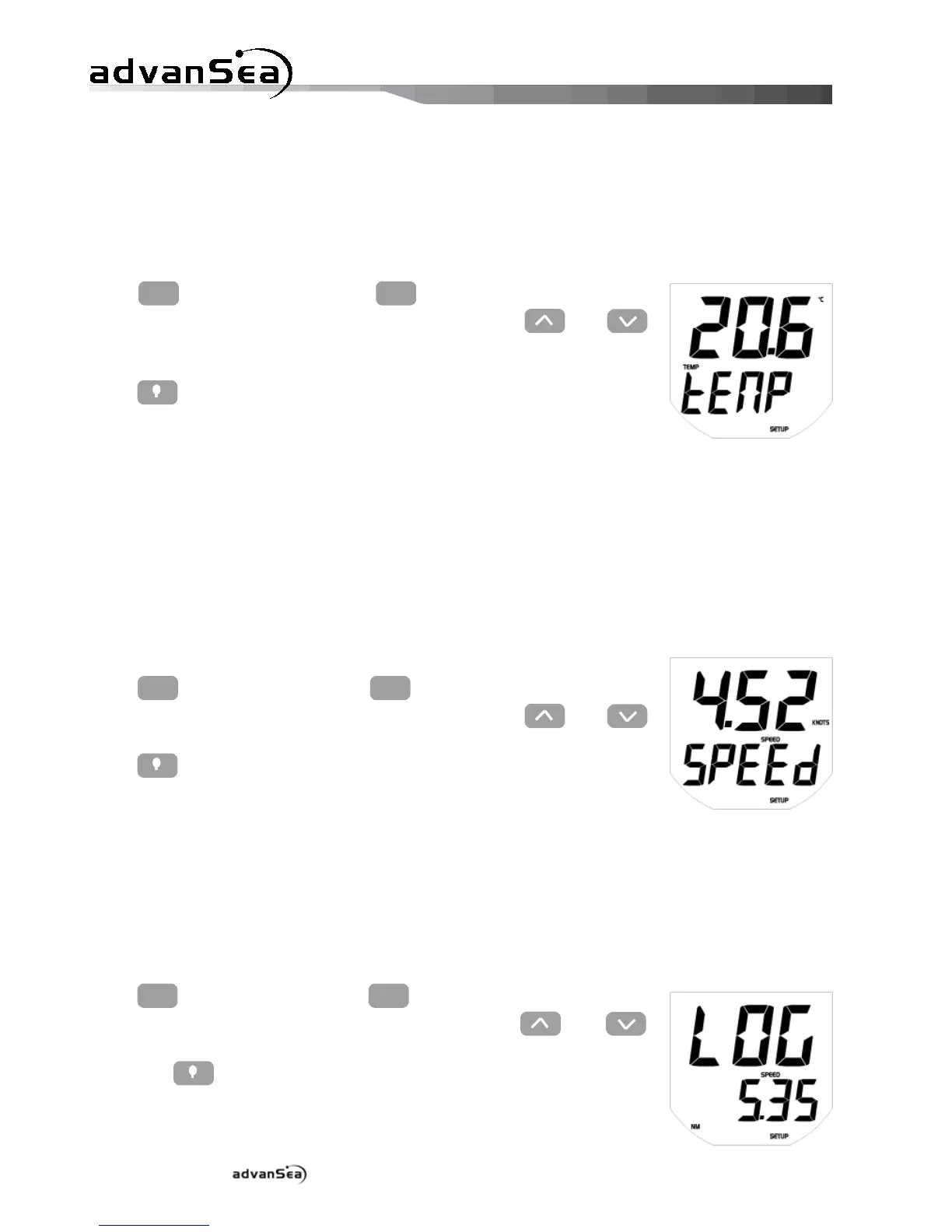
2.4.3. Calibrating the water temperature
The water temperature is calibrated in the calibration menu, by replacing the water
temperature displayed with the water temperature estimated by the user, or measured using
another source.
Press
until the "tEMP" setup page
is displayed, then adjust the required value using the and
keys.
Press to exit setup mode, or time out after 10 seconds.
2.4.4. Calibrating by speed
The speedometer sensor can be calibrated by speed or by distance.
The boat speed is calibrated in the calibration menu, by replacing the boat speed displayed with
the boat speed estimated by the user, or measured using another source.
We recommend you navigate at constant speed. Note the speed displayed on a GPS receiver (it
should be greater than 5 kts) or measure the time taken to cover a given distance (speed
between 5 and 20 kts, in calm seas, with little current).
Press
until the "SPEEd" setup page
is displayed, then adjust the required value using the and
keys.
Press to exit setup mode, or time out after 10 seconds.
2.4.5. Calibrating by log
After resetting the Trip log to "0", cover a specific set distance (identified on a chart). To partly
compensate for current and tide effects, cover the distance in both directions, parallel to the
current.
In the calibration menu, replace the distance displayed for the Trip log with the real distance
covered.
Press
until the "LOG" setup page is
displayed, then adjust the required value using the and
keys (max. ±50% adjustment of the value measured by the Trip
log).Press to exit setup mode, or time out after 10 seconds.


 To Next Page