Control Solution Test
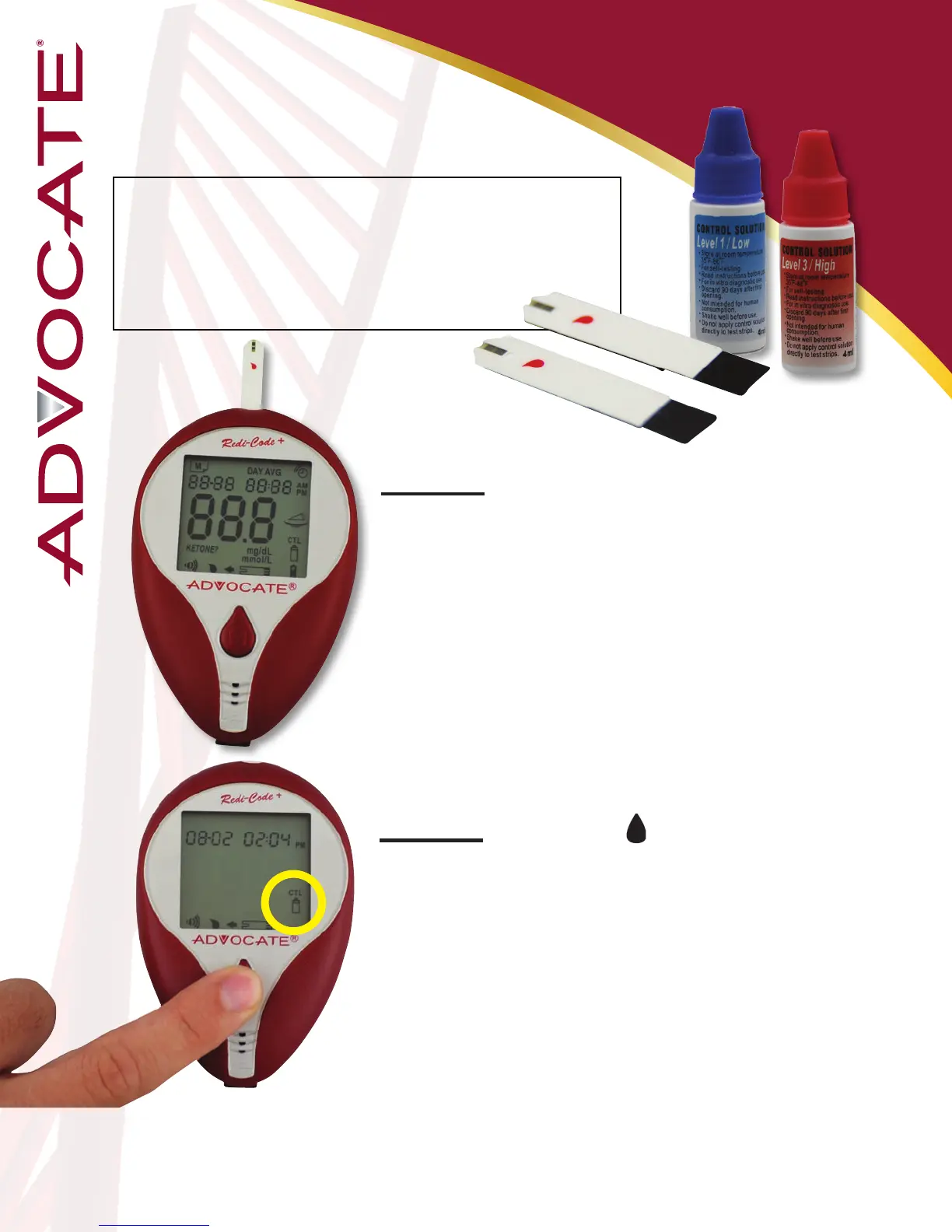
You will need the following items
to perform a Control test:
- Advocate Redi-Code
+
Glucose Meter
- Advocate Test Strips
- Advocate Control Solution
Step 1: Insert a test strip into the Test
Strip Slot
You will hear the Advocate
Redi-Code
Meter say: “Please apply blood to the
strip”
Only use Advocate Redi-Code Control Solution
and Advocate
Redi-Code Test Strips
Step 2: While the “ ” symbol appears on
the display, press the “M” button. The “CTL”
symbol will appear on the display informing
the user that he or she is now in the Control
Solution Mode.
Test results will not be stored in the meter
memory.
20


 To Next Page