Meter Memory
The meter stores the last 400 blood glucose
test results along with the date and time. It also
provides you with 7,14,28 and 60-day averages of
your pre-meal, post-meal and general blood glucose
test results, respectively. You can begin to review the
results stored in meter’s memory by following the next steps.
Enter Memory Mode
Start with the meter off. Press M button until a test strip
marker appears.
Exit Memory Mode
Any time you want to exit memory mode, press and hold M button
for 2 seconds until the meter turns off.
7-, 14-, 28-, 60- Day Average Results
29
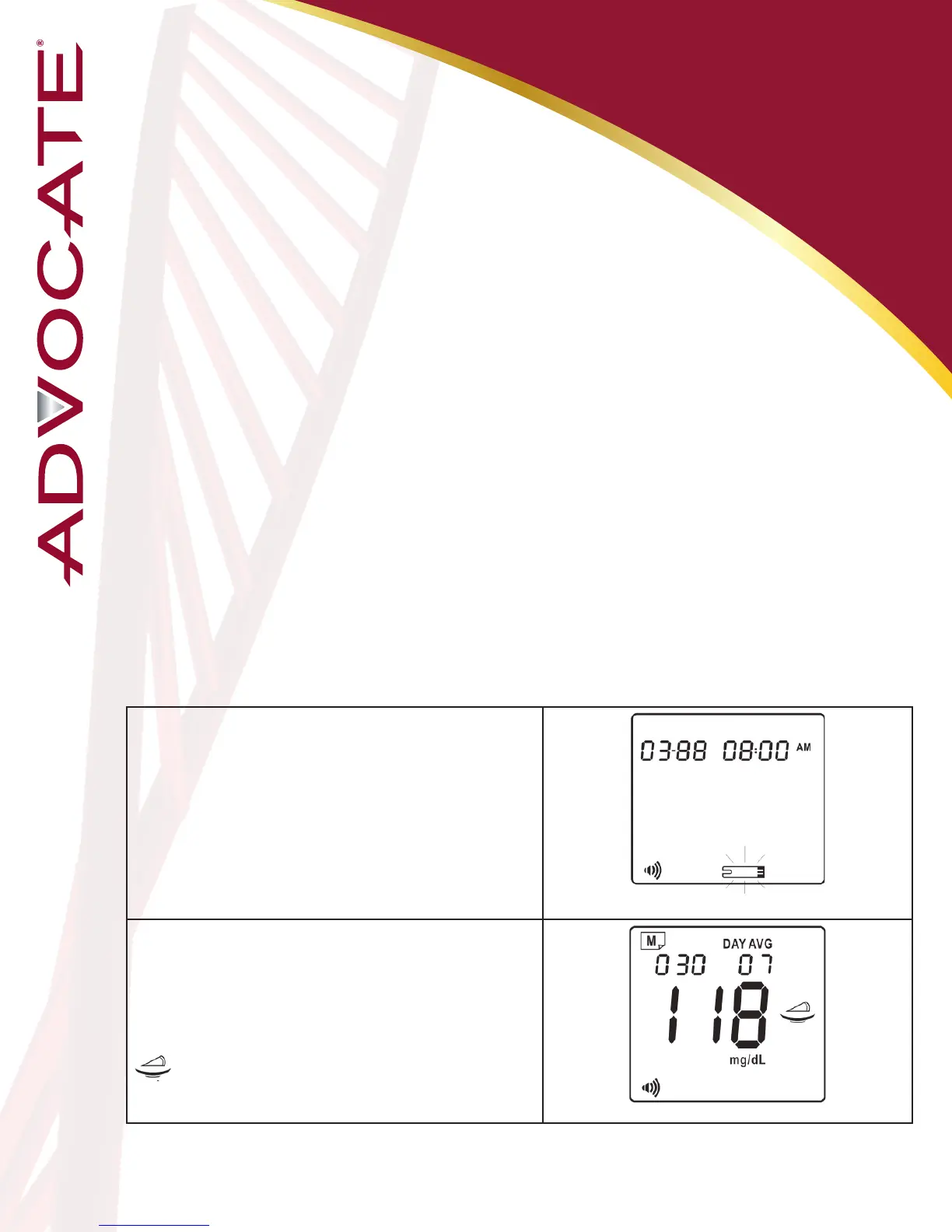
1. Enter Memory Mode
When the meter is o, press and release M
buon. The meter will show ashing strip
symbol, it means you can test your blood
glucose right now. If you do not want to test a
blood, Press M buon to view 7-day average
result for pre-meal mode.
2. 7-Day Average Pre-Meal Result
The 7-day average pre-meal result appears
aer press and release M buon.
07 DAY AVG = your 7-day average.
30 = indicates the number of results included
in your average.
= pre-meal marker


 To Next Page