User Manual 1-3kVA Rev. 9
- Page 12 of Total 30 -
2. Installation
2.3 Connection to communication
2.3.1 Standard
` RS-232
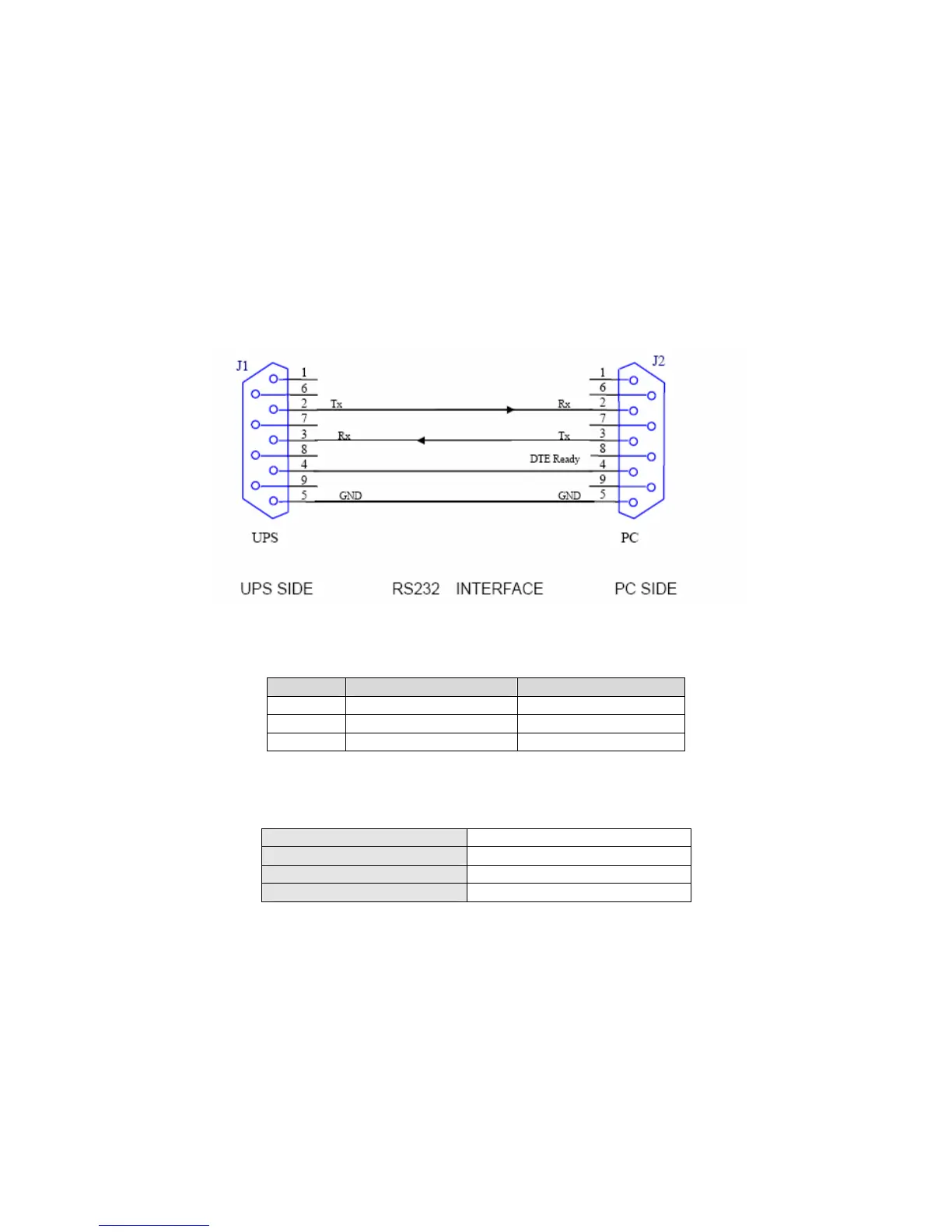
The communication interface (DB9 port) on the back of the UPS may be connected to a host
computer with specific monitoring software installed. (Please contact a sales representative for
further information of monitor software)
The pins of the connector are as following:
The RS-232 interface settings are as follows:
PIN # PIN Definition (UPS) PIN Definition (PC)
2 Transmitted data Received data
3 Received data Transmitted data
5 Signal Ground Signal Ground
Baud Rate 2400 bps
Data Length 8 bits
Stop Bit 1 bit
Parity None



 To Next Page