User Manual 1-3kVA Rev. 9
- Page 25 of Total 30 -
5. Troubleshooting
` LCD
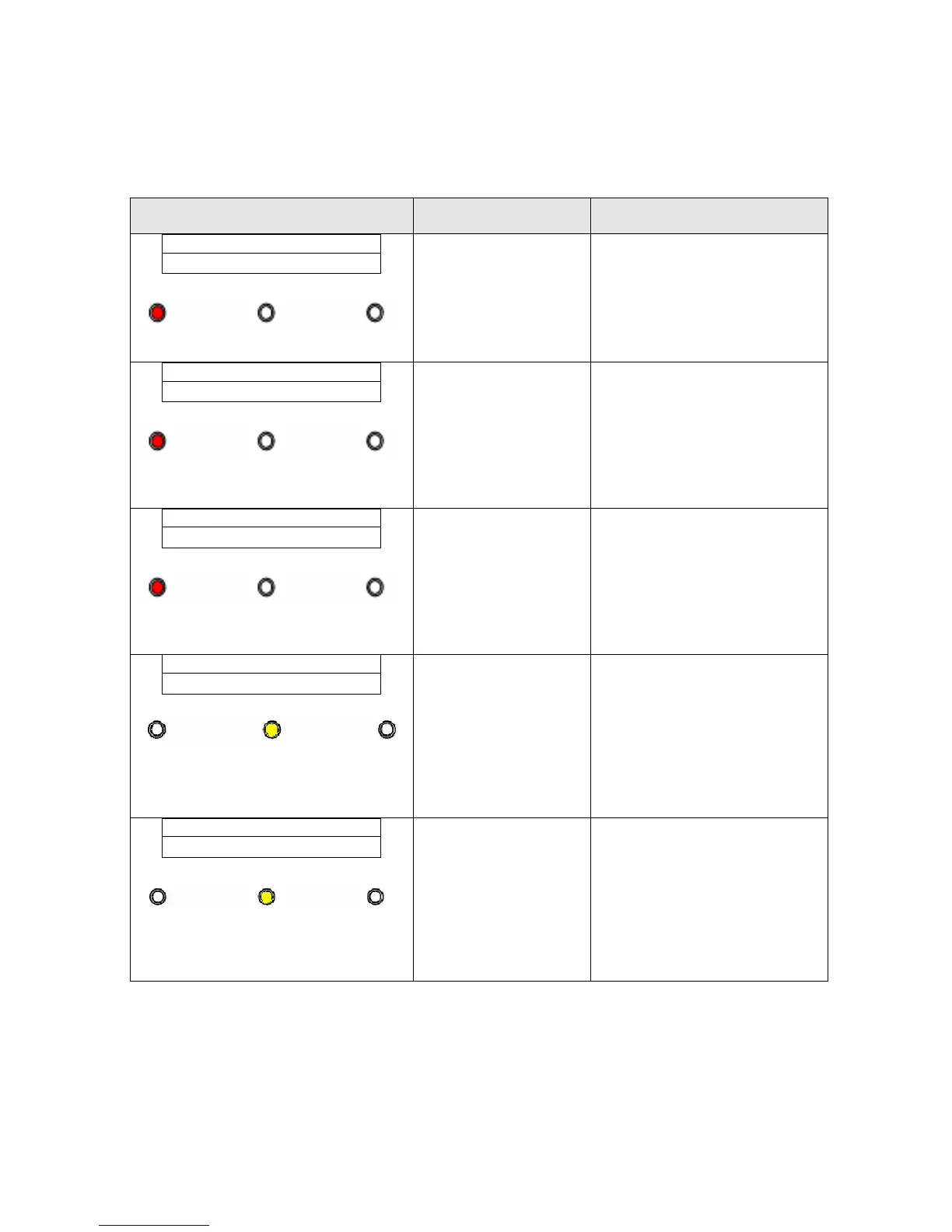
LCD & LED Status /
Audible Alarms
Possible Cause Action
Fault Warning Normal
y UPS in Bypass Mode.
y The alarm beeps continuously.
AC: OK BATT: OK
TEMP Fail
1. Fan fail.
2. Temperature is
higher than
allowed operation
temperature.
1. Replace the fan.
2. Reduce ambient
temperature or O/P load.
Fault Warning Normal
y UPS in Bypass Mode.
y Fault LED lights up and the
alarm beeps continuously.
AC: OK BATT: OK
Inverter Fail
1. Inverter circuit
failed
2. Output short.
1. Please contact with sale
representative.
2. Remove short circuit
condition, restart the UPS.
Fault Warning Normal
y UPS stop working.
y The alarm beeps continuously.
AC: OK BATT: OK
DC_BUS Fail
1. Power Board
failed.
1. Restart the UPS first. If
the UPS can not work
normally, please contact
with sale representative.
Fault Warning Normal
y UPS in Normal Mode, but
battery capacity is low.
y The alarm beeps once every
second for battery low.
AC: OK BATT: LOW
Normal Mode
1. Charger may
break down.
1. Please replace charger
board.
Fault Warning Normal
y AC utility power is normal but
UPS is overloaded.
y Warning LED lights up and the
alarm beeps per 1 second.
Output Power
105 %
1. Overload. 1. Please reduce the load less
than 100%.



 To Next Page