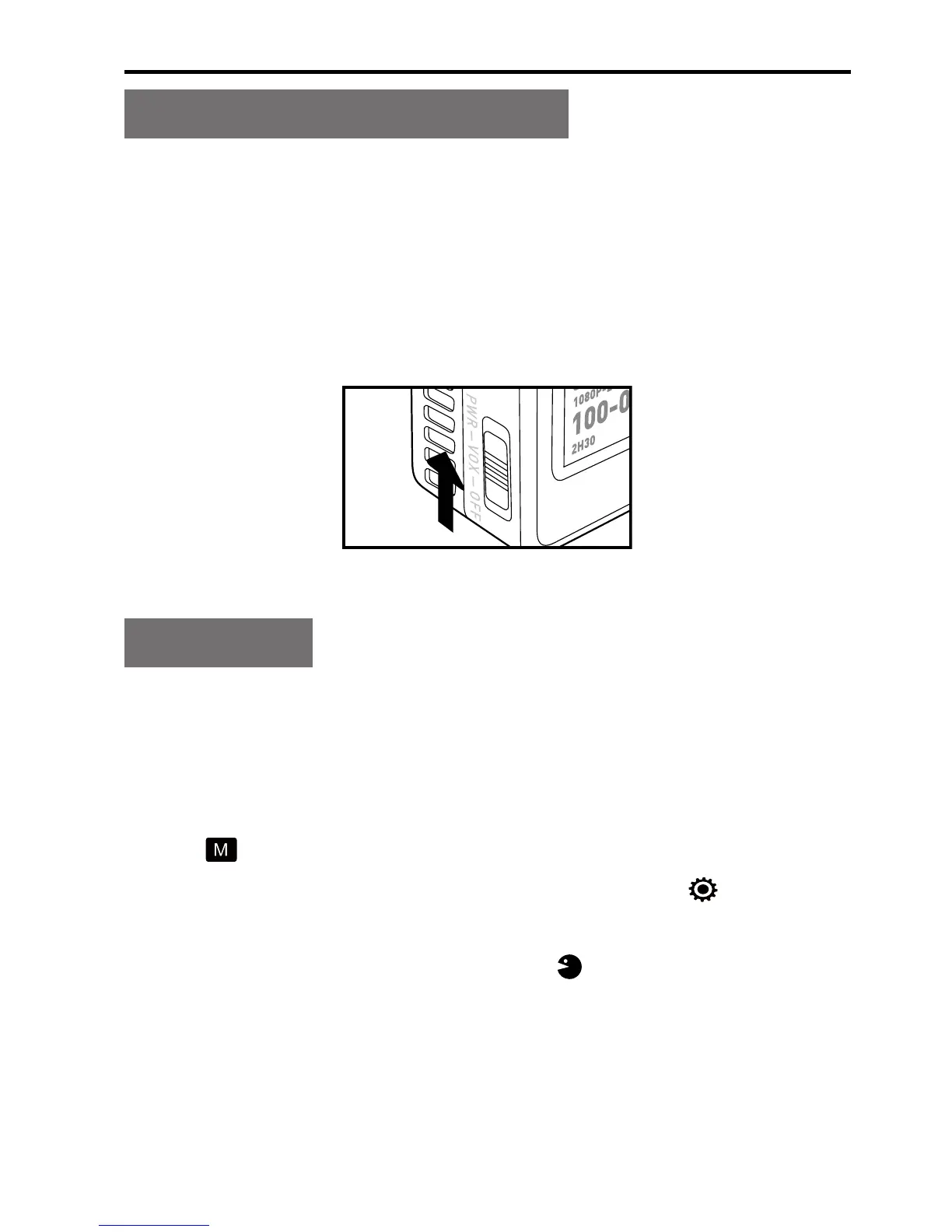
Voice-activated Power-on
Slide the Power key to "VOX", and MD10 will enter the voice-
activated mode. When the ambient decibel reaches 75db,
MD10 will auto start recording. It may auto stop recording
3min later if the ambient decibel becomes lower than 75db. In
the recording process, you can press the Record key to stop
recording without inuencing any other function.
Language
Select the required language.
1. Long press the Record key for 3s to enter the full screen
mode;
2. Press the Shoot key or Wi-Fi key to adjust the menu mode
to " " and then press the Record key;
3. Press the Wi-Fi key to move the cursor to " " and then
press the Record key;
4. Press the Wi-Fi key to select " " and then press the
Record key;
5. Press the Wi-Fi key to select the required language and
then press the Record key to conrm your selection;
6. Press the Shoot key to exit.


 To Next Page