Parameter settings
Recording Parameters
Please follow the steps below to set the recording parameters:
1. Long press the Record key for 3s to enter the full screen
mode;
2. Press the Shoot key or Wi-Fi key to adjust the menu mode
to " " and then press the Record key;
3. Press the Wi-Fi key to move the cursor to " " and then
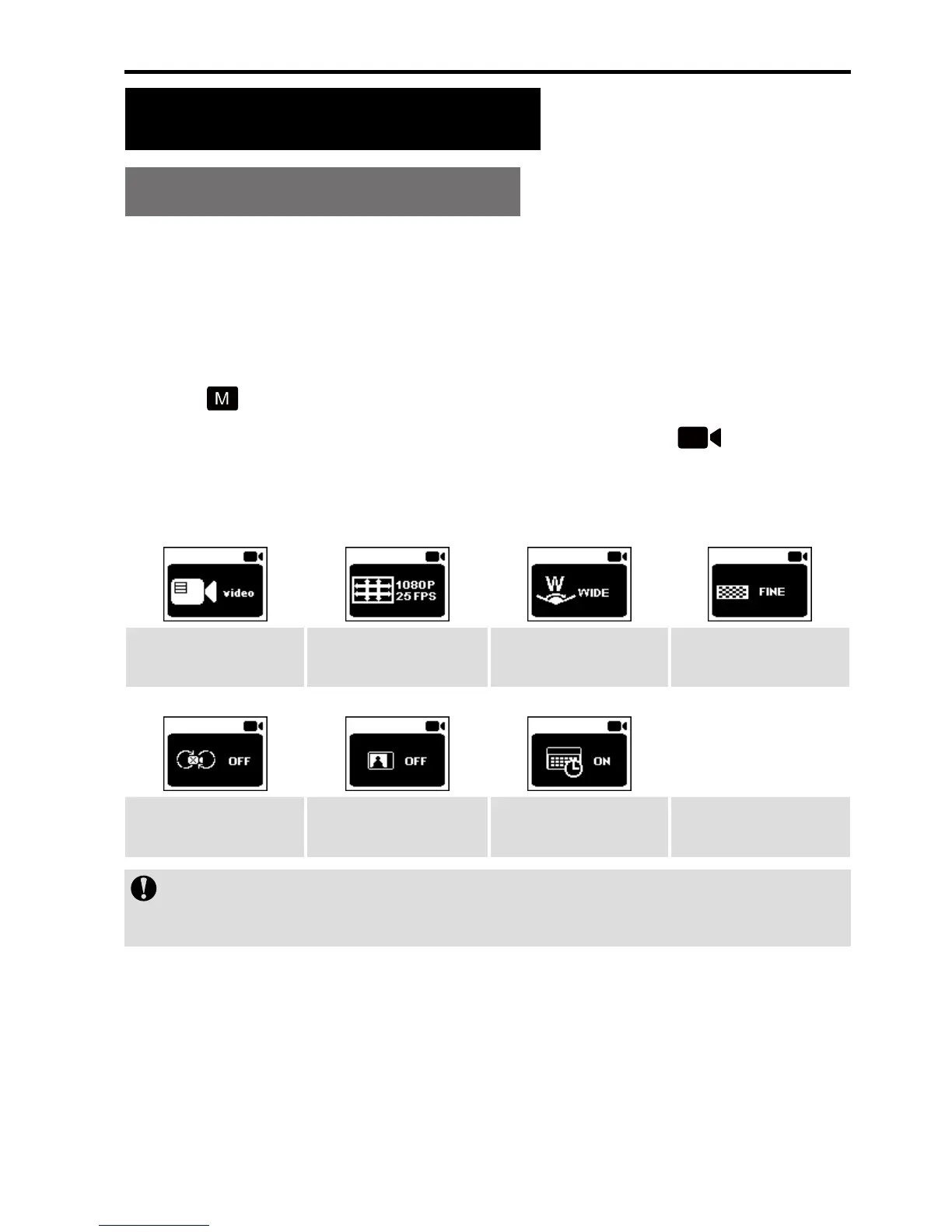
press the Record key to display the following functional
icons:
Recording Mode
Resolution
setting
View Angle Bit Rate
Video content
loop
180° Image
Rollover
Image Time
You can enter "Recording Mode" to set such parameters
as Time Lapse, Timed recording and Shoot-in-recording.
4. Press the Wi-Fi key to select the required functional icon
and then press the Record key;
5. Press the Wi-Fi key to select the required functional
parameter and then press the Record key to conrm your
selection.


 To Next Page