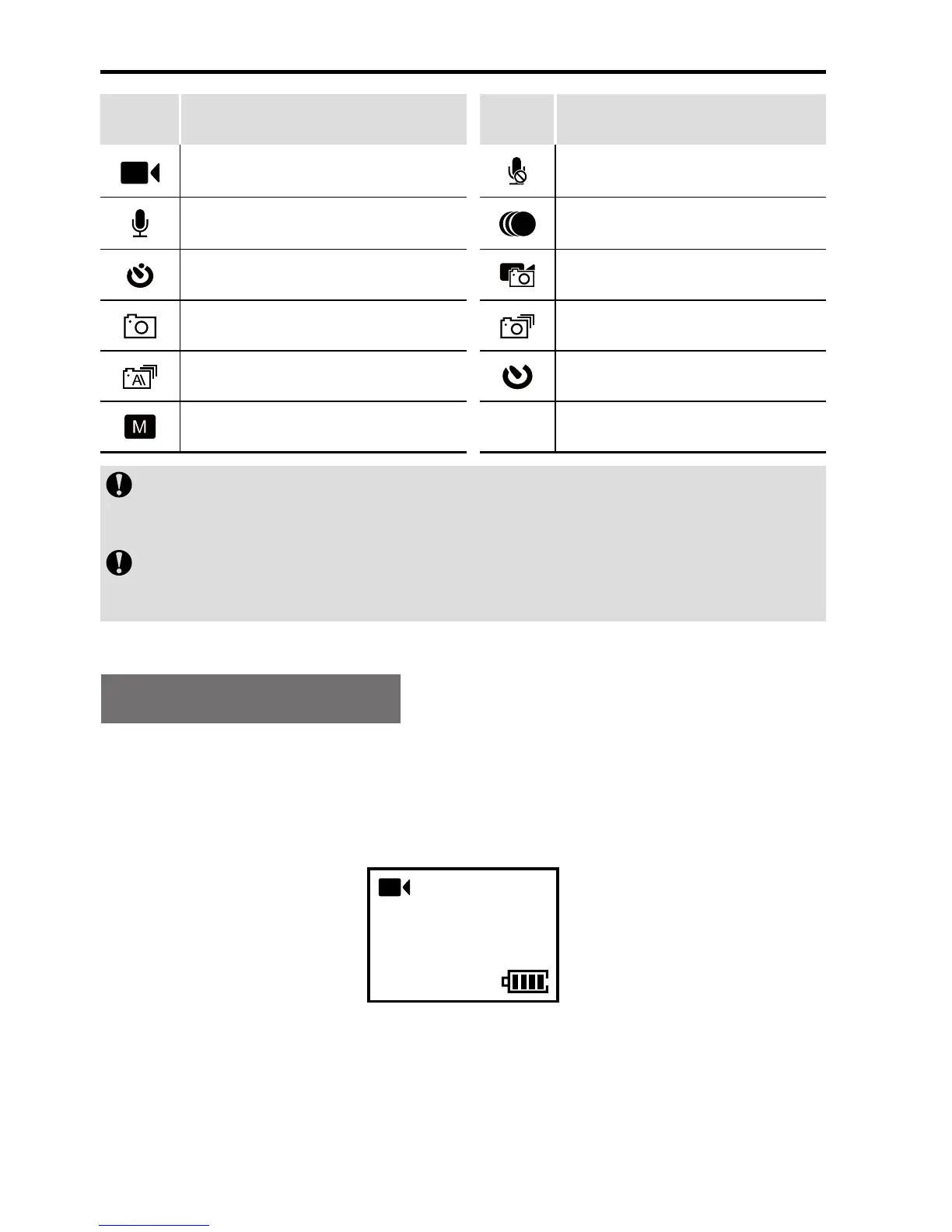
Icon Functions Icon Functions
Video recording Video-only
Voice recording Time Lapse
Timed recording mode Shoot-in-recording
Single shot Fast shot
Continuous shooting Timed shooting
Other basic setting
In the shooting mode, you can press the Record key to
switch to the last used recording mode.
In the recording mode, you can press the Shoot key to
switch to the last used shooting mode.
Video Recording
> Video Recording
1. Press the Record key to start the video recording and enter
the following interface:
00:00:01
2H30
1080P- 25
2. Press the Record key again to stop the video recording.
> Video-only
In this mode, you can record a video without voice.


 To Next Page