Basic Settings
1. Long press the Record key for 3s to enter the full screen
mode;
2. Press the Shoot key or Wi-Fi key to adjust the menu mode
to " " and then press the Record key;
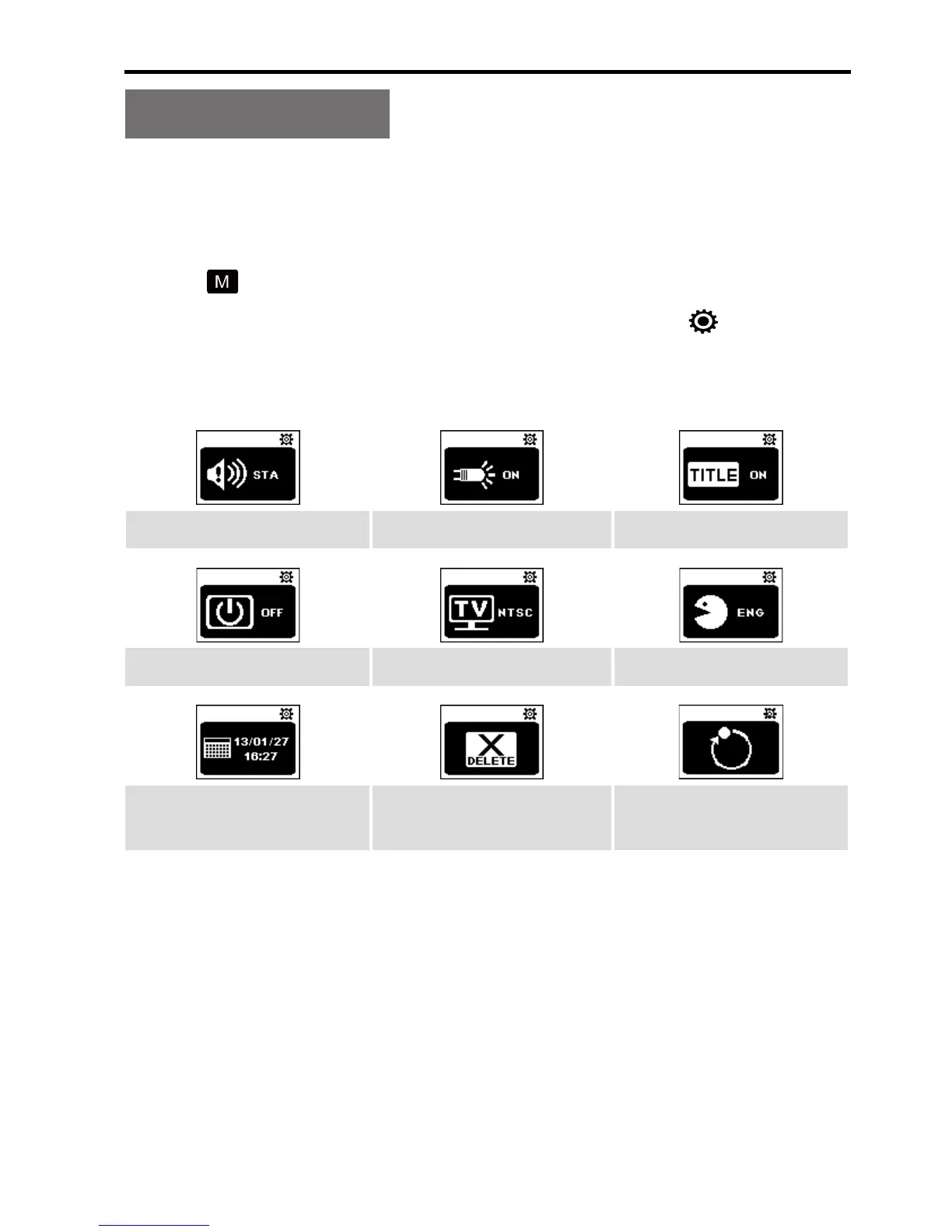
3. Press the Wi-Fi key to move the cursor to " " and then
press the Record key to display the following functional
icons:
Warning tone Status indicator On screen display
Auto to standby TV output format Language
Date & Time Format
Recover factory
setting
4. Press the Wi-Fi key to select the required functional icon
and then press the Record key;
5. Press the Wi-Fi key to select the required functional
parameter and then press the Record key to conrm your
selection;
6. Press the Shoot key to exit.



 To Next Page