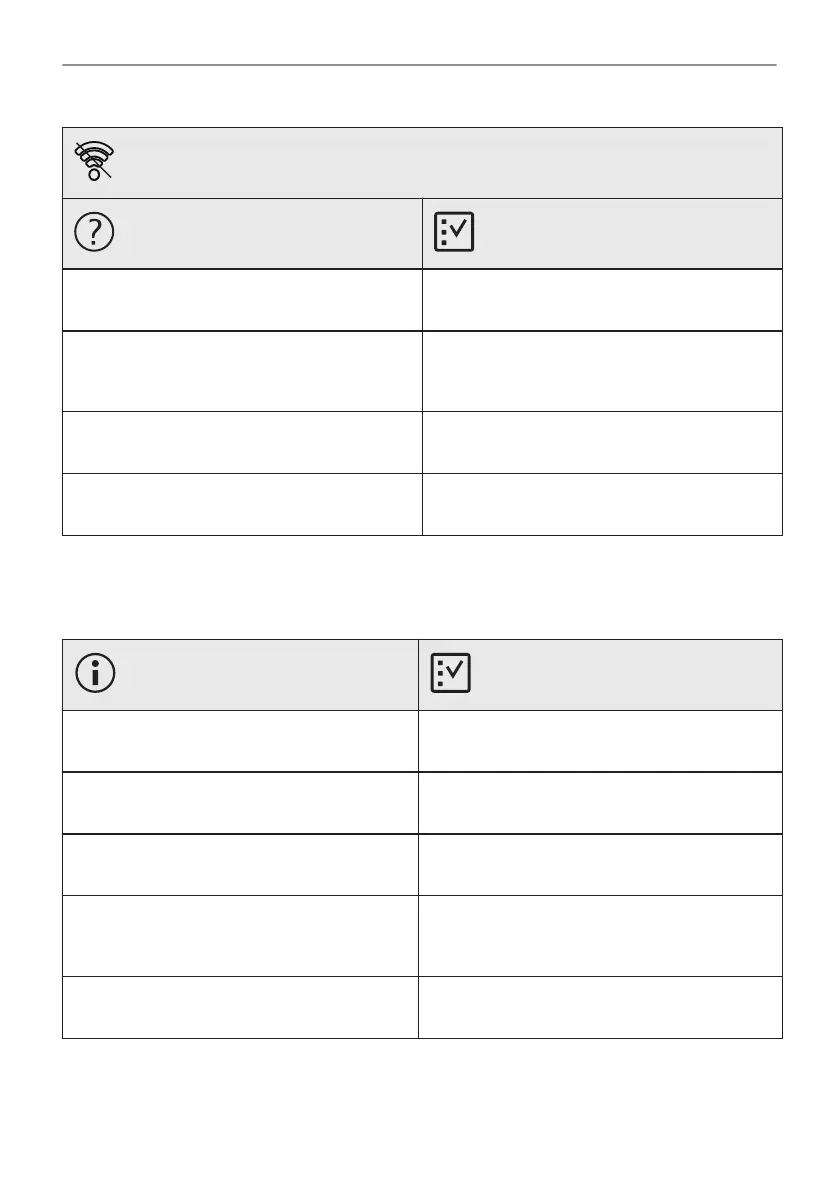
Problems with Wi-Fi signal
Possible cause
Remedy
Trouble with wireless network signal. Check your wireless network and router.
Restart the router.
New router installed or router configuration
changed.
To configure appliance and mobile device
again, refer to "Before first use" chapter, Wire‐
less connection.
The wireless network signal is weak. Move router as close to the appliance as possi‐
ble.
The wireless signal is disrupted by another mi‐
crowave oven placed near the appliance.
Turn off the microwave oven.
12.2 How to manage: Error codes
When the software error occurs, the display shows error message.
In this section, you will find the list of the problems that you can handle on your own.
Code and description Remedy
F111 - Food sensor is not correctly inserted in‐
to the socket.
Fully plug Food sensor into the socket.
F240, F439 - the touch fields on the display do
not work properly.
Clean the surface of the display. Make sure
there is no dirt on the touch fields.
F601 - there is a problem with Wi-Fi signal. Check your network connection. Refer to "Be‐
fore first use" chapter, Wireless connection.
F604 - the first connection to Wi-Fi failed. Turn the appliance off and on and try again. Re‐
fer to "Before first use" chapter, Wireless con‐
nection.
F908 - the appliance system cannot connect
with the control panel.
Turn the appliance off and on.
When one of these error messages continues to appear on the display, it means a faulty
subsystem may have been disabled. In such a case contact your dealer or an Authorized
Service Centre. If one of these errors occurs, the rest of the appliance functions will continue to
work as usually.
97/316
TROUBLESHOOTING



 To Next Page