Installation and Operation Manual for
the AENO TB2 electric blender
© ASBISc Enterprises PLC. All rights reserved Document version: 1.0.1, aeno.com
Page 19 of 44
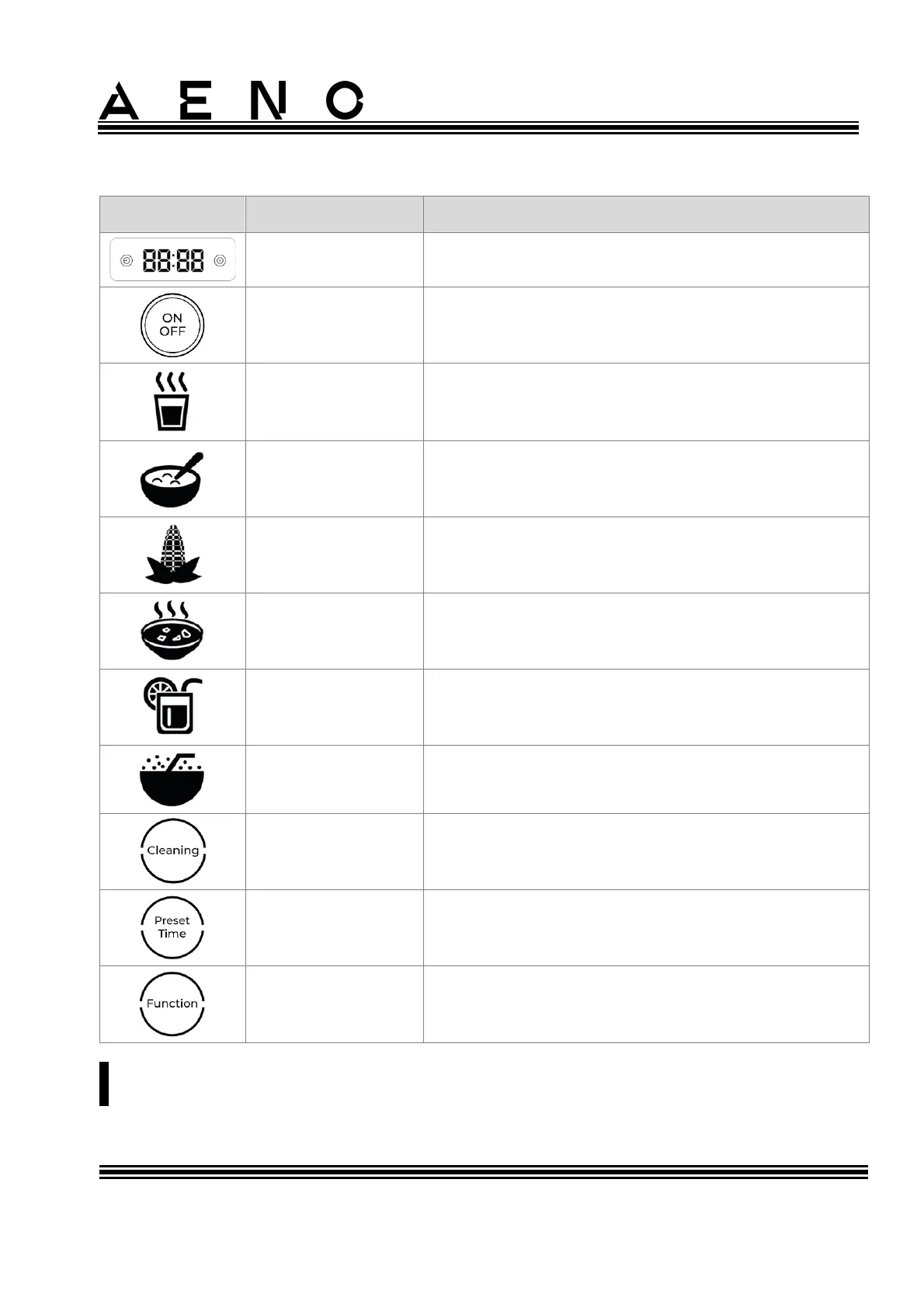
Table 3 – Device control panel
Display for operating time and heating
temperature
Indicator button for turning the device on or off
"Nut/Soy Milk" program indicator
"Pastry" program indicator
"Corn/Cereals" program indicator
"Cream Soup" program indicator
"Fruit/Veggies" program indicator
"Smoothie" program indicator
Self-cleaning mode "Cleaning" indicator button
Delayed start mode "Preset Time" indicator
button
Button-indicator "Function" for selecting
operating modes
NOTE.
Do not force the buttons as this may damage the control panel of the device.



 To Next Page