AEOTEC User Manual
Page 5
3.7 How to factory reset
This device also allows to be reset without any involvement of a Z-Wave controller. This procedure should only be used
when the primary controller is inoperable.
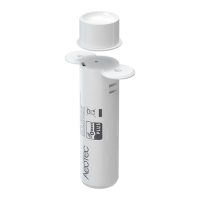
Once Cover is removed and the tamper switch is tripped, push the tamper for 5 seconds until the RED LED blinks once.
Then release tamper and push it again for 5 seconds while the RED LED is blinking until the GREEN LED blinks once.
3.8 Safety Warning for Batteries
The product contains batteries. Please remove the batteries when the device is not used. Do not mix batteries of
different charging level or different brands.
3.9 Product Usage
Once installed the sensor will report sensor status changes to a central Z-Wave controller using notification commands.
Additionally, the sensor can directly control other devices using association group 2.The device is protected by a tamper
switch.
Link testing
When activated by configuration parameter #5 the device can perform a link test with device No.1. Double-clicking the
tamper will start the process. As a result, the GREEN LED will blink two times in case of success and the RED LED will
blink two times in case of failure.






 To Next Page