13
Care and Cleaning
Troubleshooting
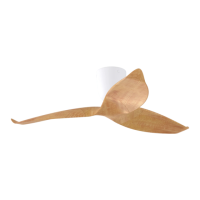
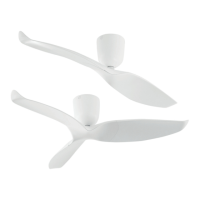
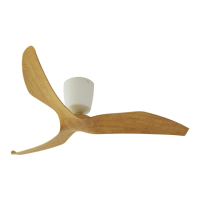
Regular cleaning of the Aeratron Ceiling fan blades and fan motor housing is the only maintenance needed.
Due to the self-balancing design, a large build up of dust on blades may create an imbalance in extreme cases
only, causing the blades to wobble during use. This is likely to be more apparent on fans with an extension rod.
Regular cleaning of the blade is recommended to prevent dust from building up.
1. When cleaning your fan, only use a so brush or lint free cloth to avoid scratching the finish. DO NOT
use water when cleaning your ceiling fan. It could damage the motor or blades and/or create the
possibility of electric shock.
2. When dusng the blades, they must be supported to prevent bending - no pressure should be applied
to the blade pivot. Aer cleaning the blades, check to ensure that the Drive Sha is vercal, otherwise
the fan may wobble.
3. Occasionally, it may be necessary to re-ghten the fan blades/screws to prevent any clicking or
humming sounds during operaon. This is especially true in climates with broad temperature and
humidity ranges.
4. If you experience any flaw in the operaon of your fan, please check the points in the Trouble Shoong
secon below.
If the fan does not operate properly, or turns on or off at random.
1. If applicable, change the baeries in the Remote Control (Handset).
2. Re-pair the remote using steps 3&4 (page 7)
3. Mulple fans: disconnect power to all fans, wait for a minimum of 10 seconds before switching
power back on to all the fans (see page 7)
4. Disconnect and reconnect the 3-pin connector (receiver to motor) to make sure that the
connectors are fully engaged (see page 6)
5. Check the main and branch circuit breakers and/or fuses.
6. Check the wire connecons to the fan.
7. Other RF devices may obstruct the handset to receiver signal.
If the fan is noisy
8. Check to make sure that Suspension Ball is located in the slot correctly, and the one screw
securing the suspension ball is ght (see page 5).
9. Check that Hanger Bracket is solidly mounted, no movement allowed (see page 4)
10. Check that the 2 Hub screws per fan blade are ght and firm (see page 8)
11. Excess wind can li the fan blades and result in some noise.
If the fan rotates but does not create much airflow
12. The room may contain items which obstruct the air-flow.
13. The fan may be too small for the size of the room.
14. The fan might be in reverse funcon (counter clockwise rotaon)
Except for items 1 to 3 below, the following require access to
areas of the fan which carry lethal voltage and must be carried
out by properly qualified personnel. ONLY points 1 to 3 below
can be carried out by the user.
!
Note: In some areas, signals are sent through the power lines by the electricity supplier for the control of
off peak hot water, street lights and so on. These signals may cause an intermient humming in the ceiling
fan. Filters may be available in your country at customer costs. It is not a ceiling fan fault.


 To Next Page