P
h
i
l did it!
(8) Servo Direction Setting – FlightController
This is to check that the controls move in the correct direction when in the Automatic Modes
(1) and (3)
NOTE: Adjustment of servo direction has to be done in the Flightcontroller unsing the
DIP Switches 3 to 5 !
NOTE: Remove the Propeller for this test and make sure the throttle stick is in the
bottom position.
1. Switch Flight Mode to (1) Attitude / Altitude Mode
2. Swing the aircraft in all directions and observe the servo responses
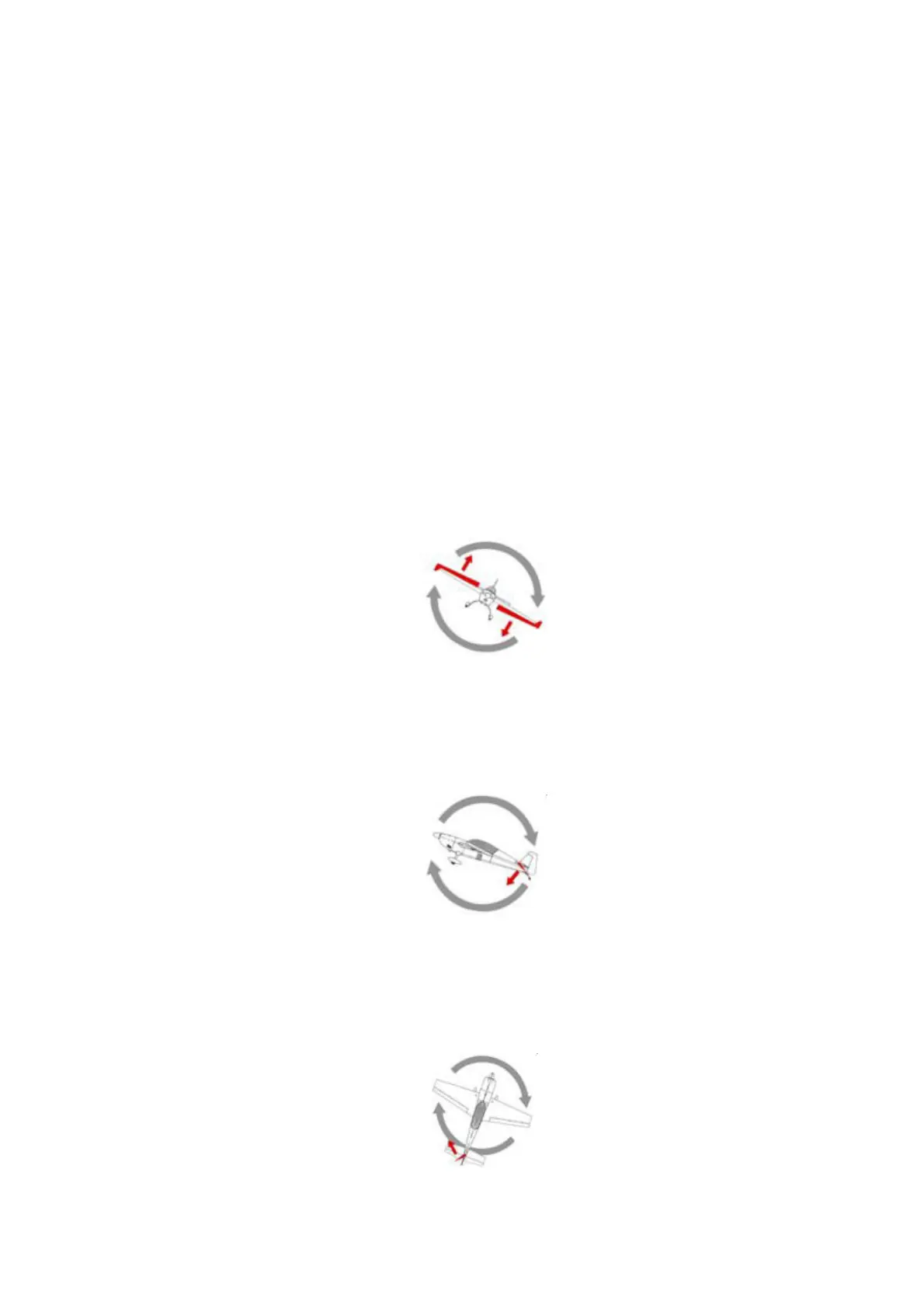
1.) Roll DIP-SWITCH 3
Swing the aircraft around the roll direction and check for the ailerons to correct in the right
direction.
When rolling to the left the left aileron has to go down and the right has to go up!
2.) Pitch DIP-SWITCH 4
Move the aircraft nose up and down and check the elevator for correct direction
When the nose goes up the elevator must go down!
3.) Yaw DIP-SWITCH 5
Turn the aircraft around its vertical axis and check the rudder for correct direction.
When turned to the right the rudder should go to the left!
If the response is in the other direction then flip the respective DIP-SWITCH
16 of 21


 To Next Page