17
Phono
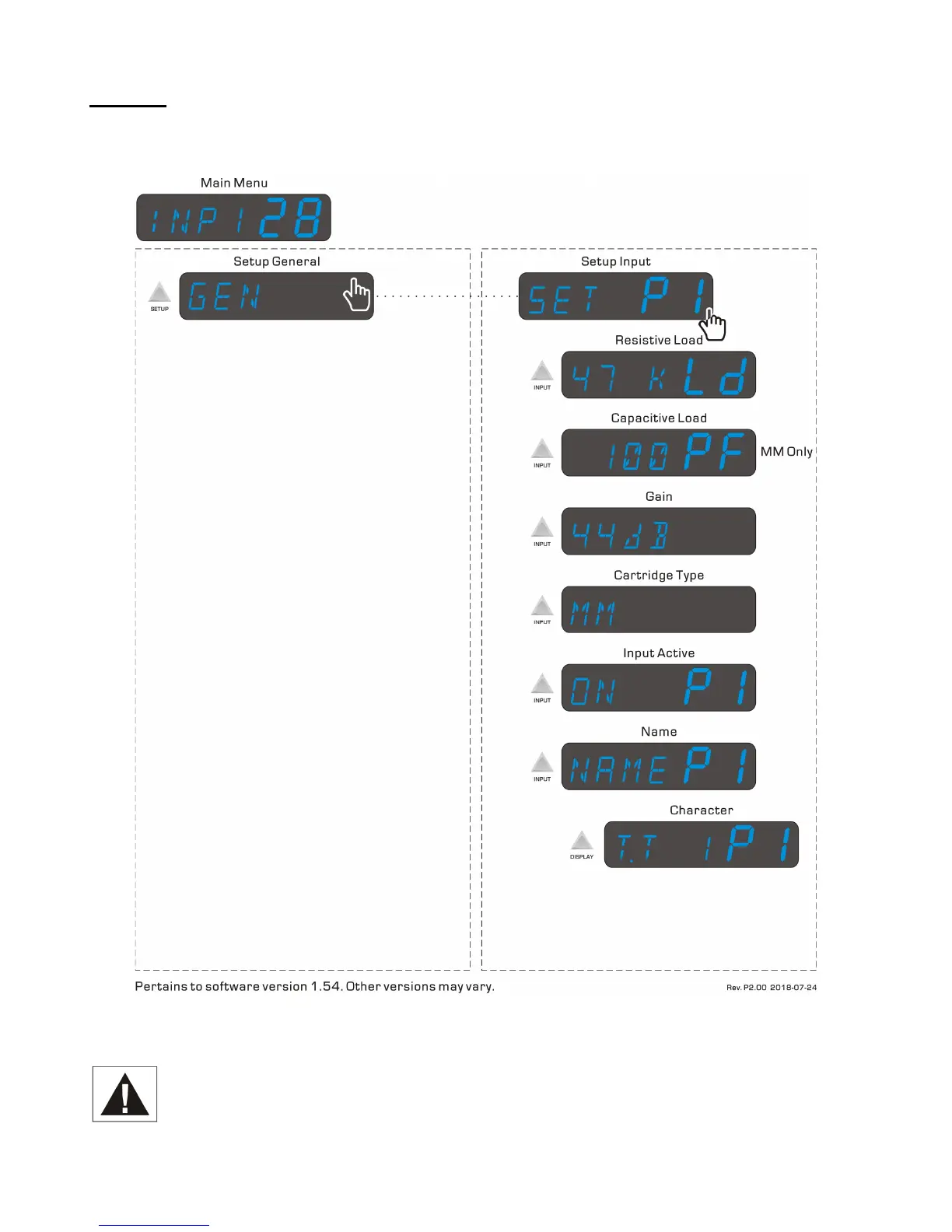
When the optional Phono input module is installed, additional submenus will be revealed in the Setup Input
section. The Phono submenus are shown below in the right-hand column.
Figure 5 – Mimas Phono Menu Map
As indicated above, the Capacitive Loading submenu is available only when the Cartridge Type is set
to MM. Therefore if the cartridge being used is a moving magnet, begin by setting the Cartridge Type
to MM. The factory default is MC.



 To Next Page