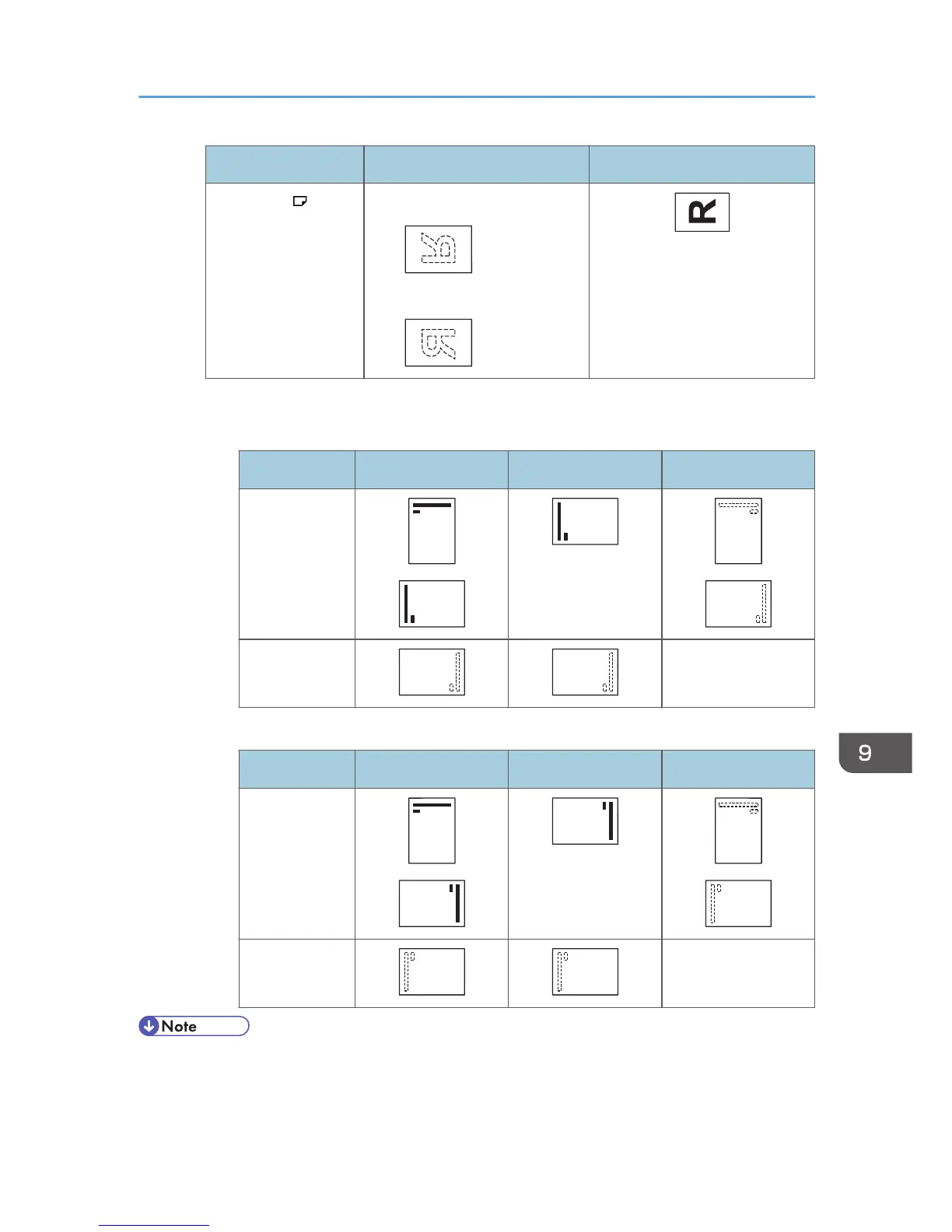
Original orientation Exposure glass ADF
Landscape ( ) • Copy
• Scanner
• Paper orientation
•
Copier mode
Copy side Tray 1 Trays 2 and 3 Bypass tray
One-sided
Two-sided Unavailable
• Printer mode
Print side Tray 1 Trays 2 and 3 Bypass tray
One-sided
Two-sided Unavailable
• In printer mode:
•
To print on letterhead paper when [Auto Detect] is specified for [Letterhead Setting], you must
specify [Letterhead] as the paper type in the printer driver's settings.
Loading Orientation-Fixed Paper or Two-Sided Paper
133



 To Next Page