Specifying Windows Authentication
Before beginning to configure the machine, make sure that administrator authentication is properly
configured under "Administrator Authentication Management".
1. The machine administrator logs in from the control panel.
2. Press [System Settings].
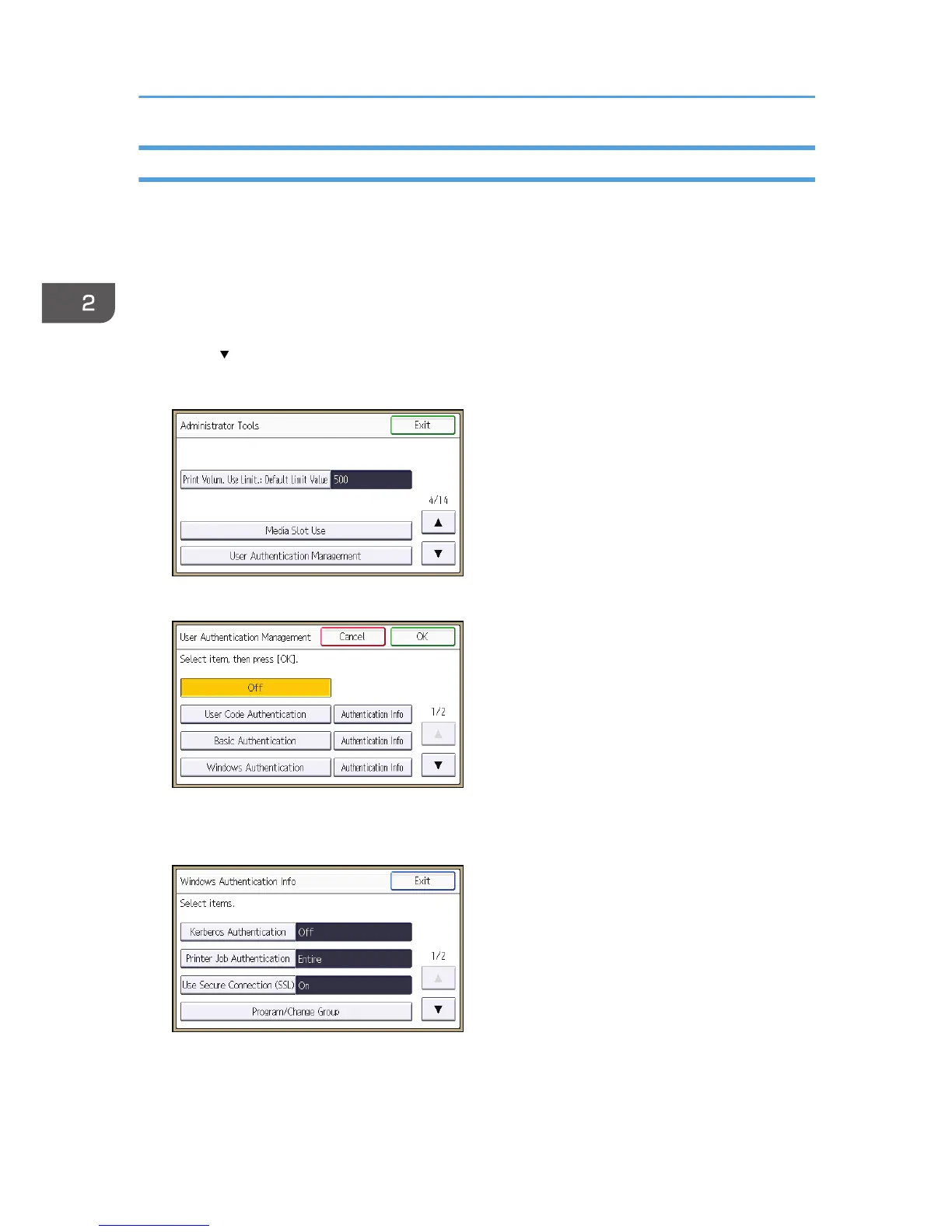
3. Press [Administrator Tools].
4. Press [ ] three times.
5. Press [User Authentication Management].
6. Select [Windows Authentication], and then press [Authentication Info] next to it.
If you do not want to use user authentication management, select [Off].
7. Press [Kerberos Authentication].
2. Configuring User Authentication
44



 To Next Page