• Under Windows or LDAP authentication, a user logs in to the same user account by using
multiple login user names, and these multiple login names are registered in the Address Book
as separate users.
The following operations are exempt from print volume limitation:
•
Printing from an operating system that does not support the current authentication method
• Printing data using the Mail to Print function, received faxes, LAN-Fax data, and files stored
using the fax function
Specifying Limitations for Print Volume
1. The machine administrator logs in from the control panel.
2. Press [System Settings].
3. Press [Administrator Tools].
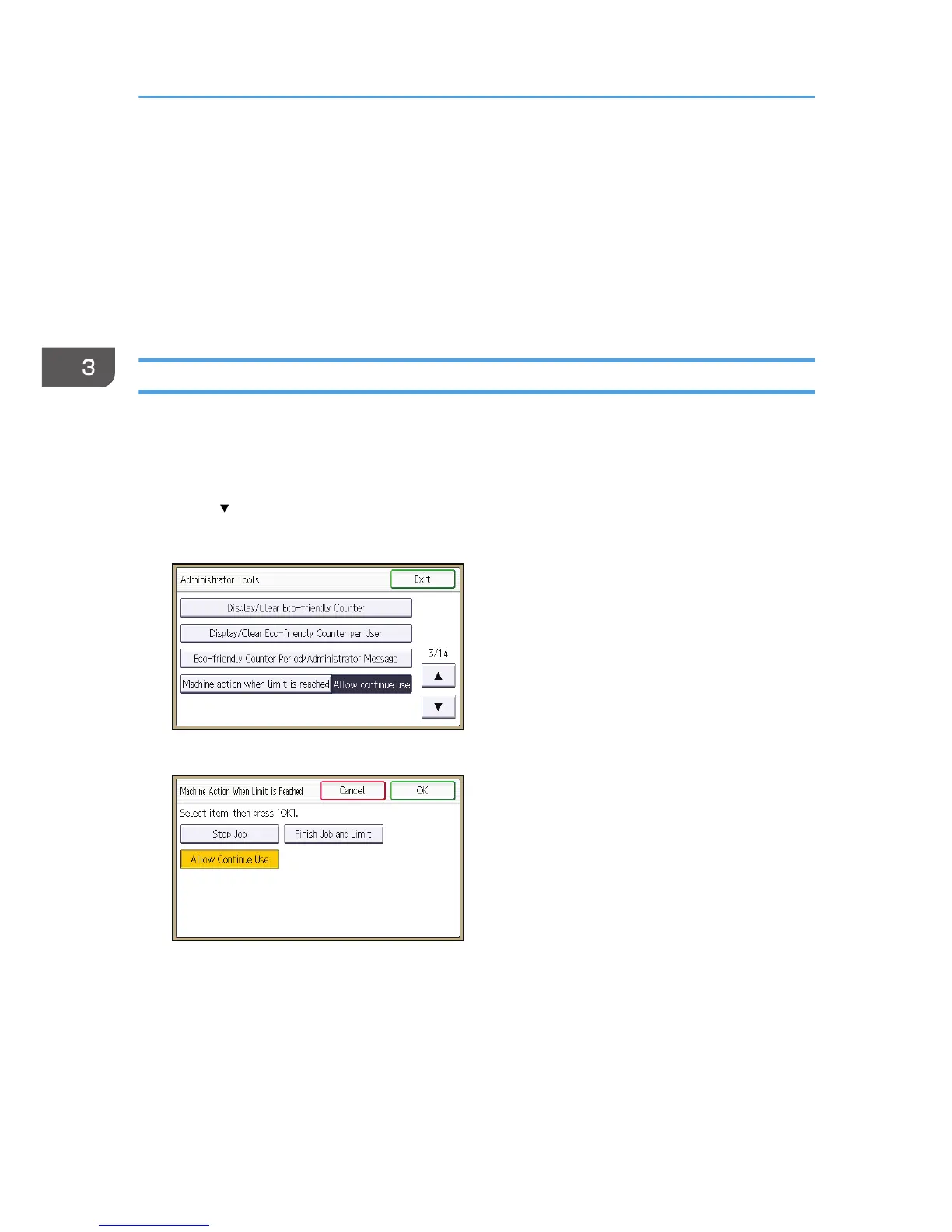
4. Press [ ] twice.
5. Press [Machine action when limit is reached].
6. Select [Stop Job] or [Finish Job and Limit], and then press [OK].
If you do not want to limit print volume, select [Allow Continue Use].
3. Restricting Machine Usage
84



 To Next Page