Managing Eco-friendly Counter
When user authentication is being used, information on the eco-friendly counter is displayed at login.
The eco-friendly counter is the ratio of use of two-sided and multi-page printing to the total number of
output pages.
How much toner and paper are being saved is indicated by the eco-friendly index.
• When Basic, Windows, LDAP or Integration Server authentication is used for user authentication, it
collects and displays an eco-friendly counter for each user.
•
When user code authentication is used for user authentication, or when user authentication is not in
use, it collects and displays an overall eco-friendly counter for the machine.
Configuring the Display of Eco-friendly Counters
Set up the period for collecting data for the eco-friendly counter and an administrator's message.
1. The machine administrator logs in from the control panel.
2. Press [System Settings].
3. Press [Administrator Tools].
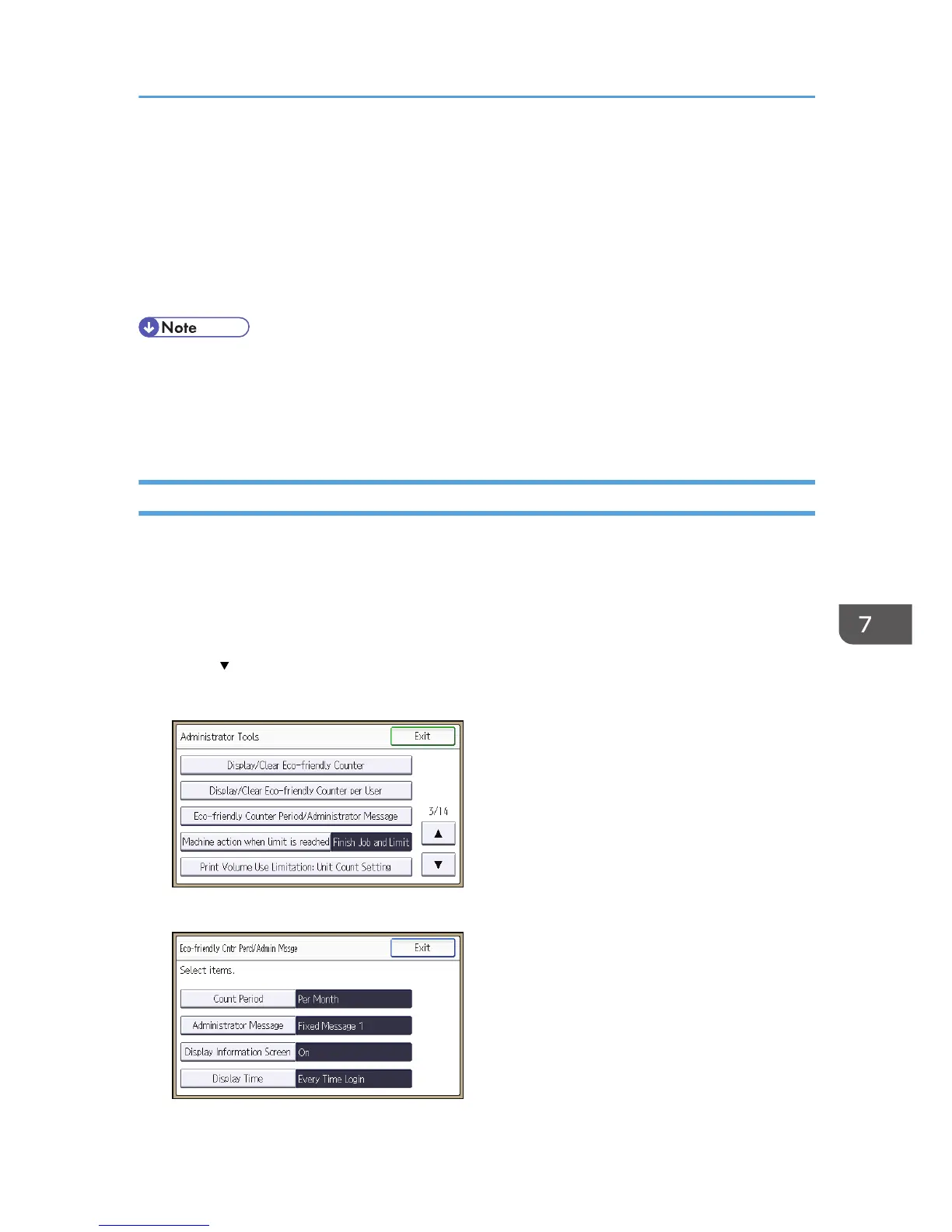
4. Press [ ] twice.
5. Press [Eco-friendly Counter Period/Administrator Message].
6. Press the setting item you want to change.
Managing Eco-friendly Counter
255



 To Next Page