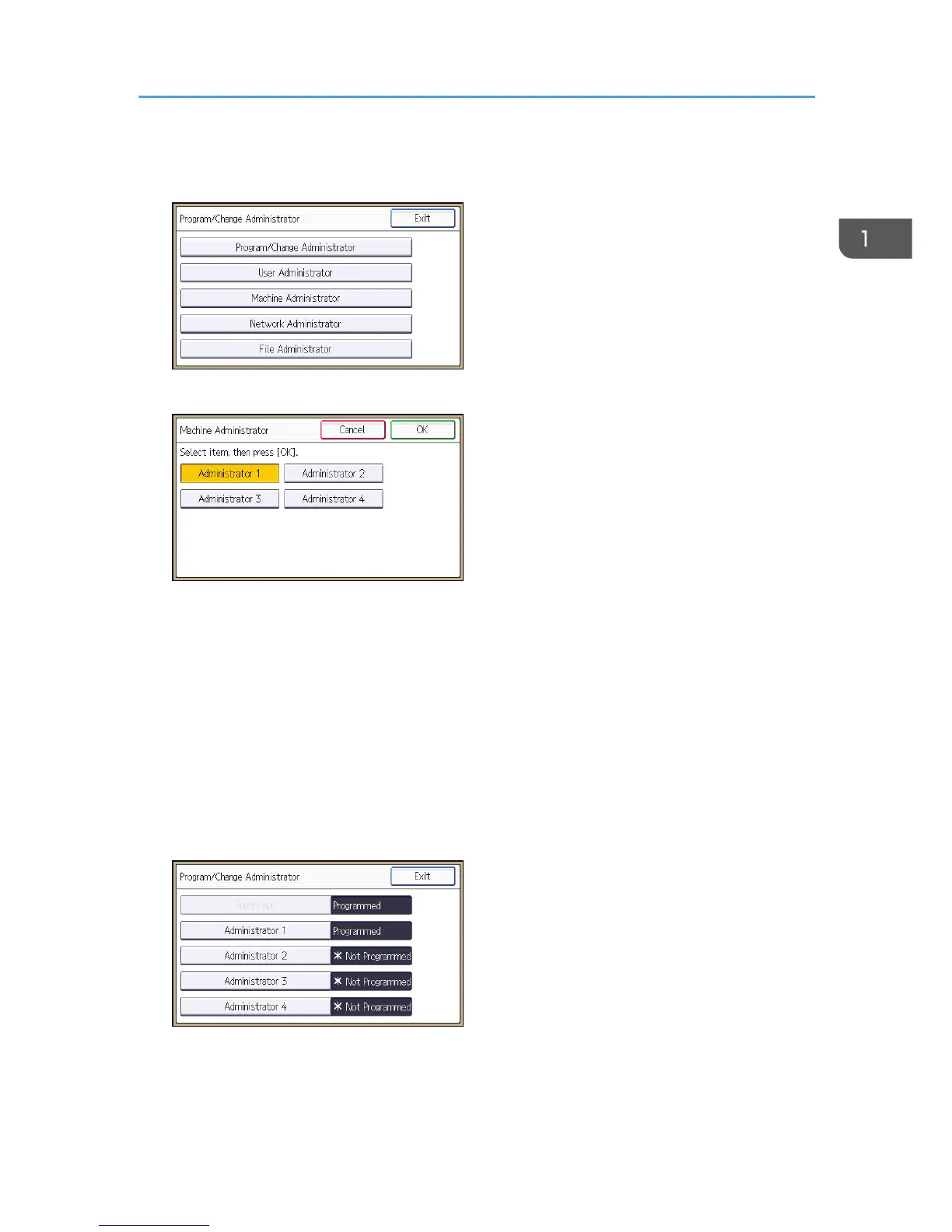
6. Select a category so that administrator settings can be specified from User Administrator,
Machine Administrator, Network Administrator and File Administrator.
7. Select the number of the administrator and press [OK].
When assigning privileges to each administrator individually, specify administrator numbers in
each category separately. For example, if you specify [Administrator 1] for [User Administrator],
then specify [Administrator 2] for [Machine Administrator].
To combine the privileges of multiple administrators, assign multiple privileges to a single
administrator number.
For example, if you want to combine user and machine administrator privileges for [Administrator
1], specify [Administrator 1] for both [User Administrator] and [Machine Administrator].
8. Press [Program/Change Administrator].
9. Select the number of the administrator whose user name and password you want to
change, and then press [OK].
Configuring Administrator Authentication
19



 To Next Page