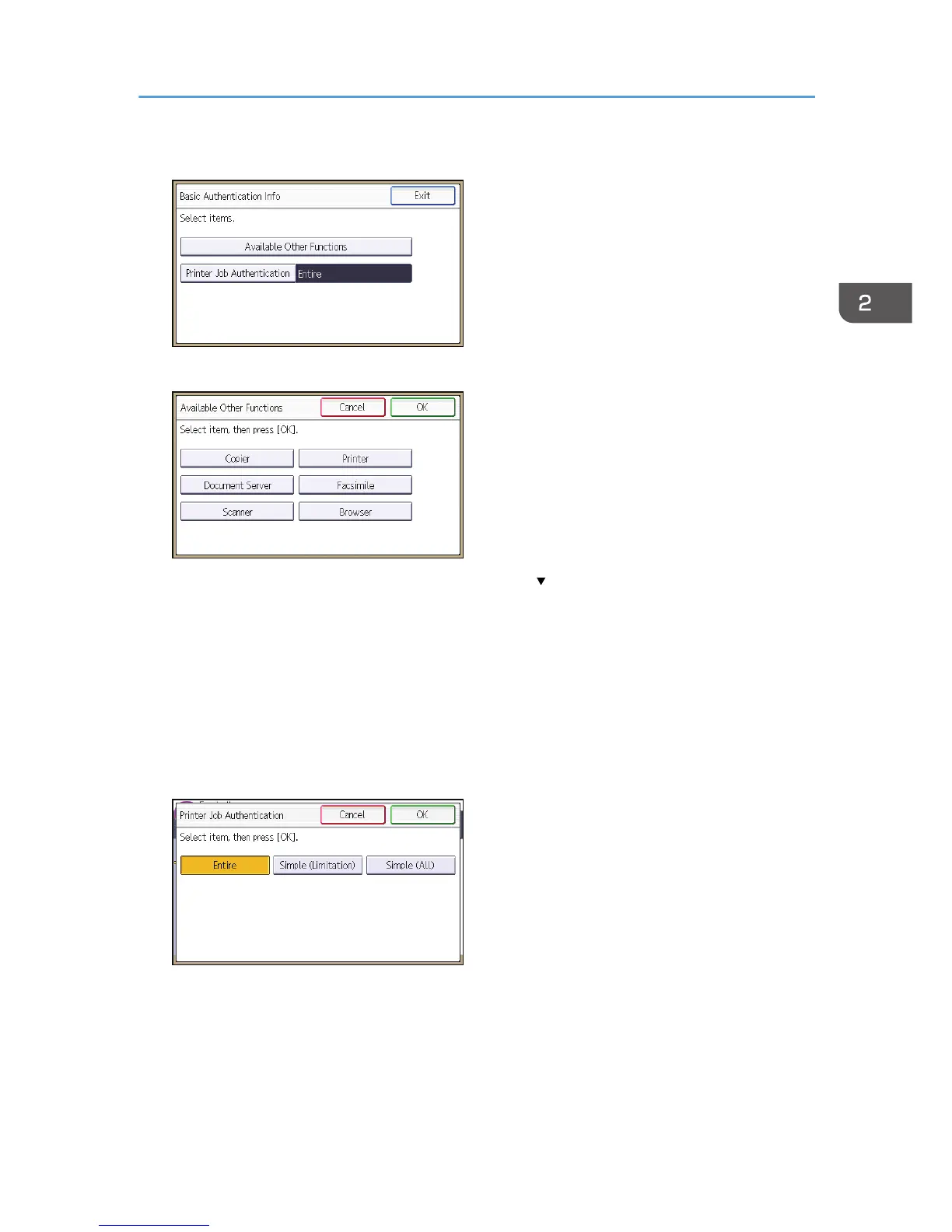
7. Press [Available Other Functions].
8. Select which of the machine's functions you want to permit.
If the function you want to select is not displayed, press [ ].
The functions you select here become the default Basic Authentication settings that will be assigned
to all new users of the Address Book.
For details about specifying available functions for individuals or groups, see p.80 "Limiting
Available Functions".
9. Press [OK].
10. Press [Printer Job Authentication].
11. Select the printer job authentication level.
For a description of the printer job authentication levels, see p.63 "Printer Job Authentication".
If you select [Entire] or [Simple (All)], proceed to step 16.
If you select [Simple (Limitation)], proceed to step 13.
Basic Authentication
37



 To Next Page