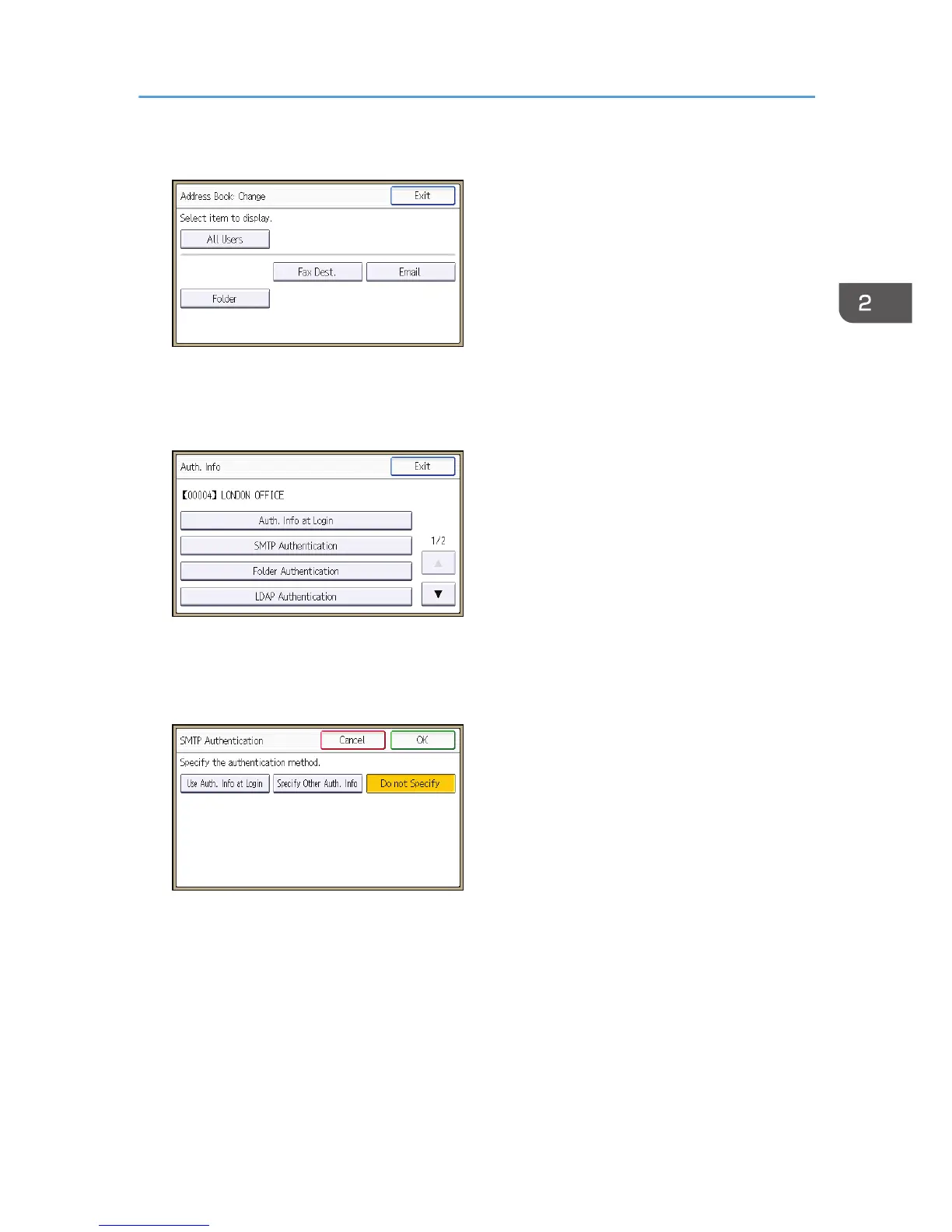
4. Select the conditions for displaying the address book.
5. Select the user.
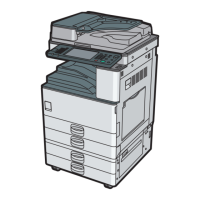
6. Press [Auth. Info].
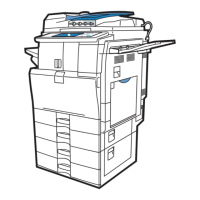
7. Press [SMTP Authentication].
For folder authentication, press [Folder Authentication].
For LDAP authentication, press [LDAP Authentication].
8. Select [Use Auth. Info at Login].
9. Press [OK].
10. Press [Exit].
11. Press [OK].
12. Log out.
Basic Authentication
41


 To Next Page