1. The machine administrator logs in from the control panel.
2. Press [System Settings].
3. Press [Administrator Tools].
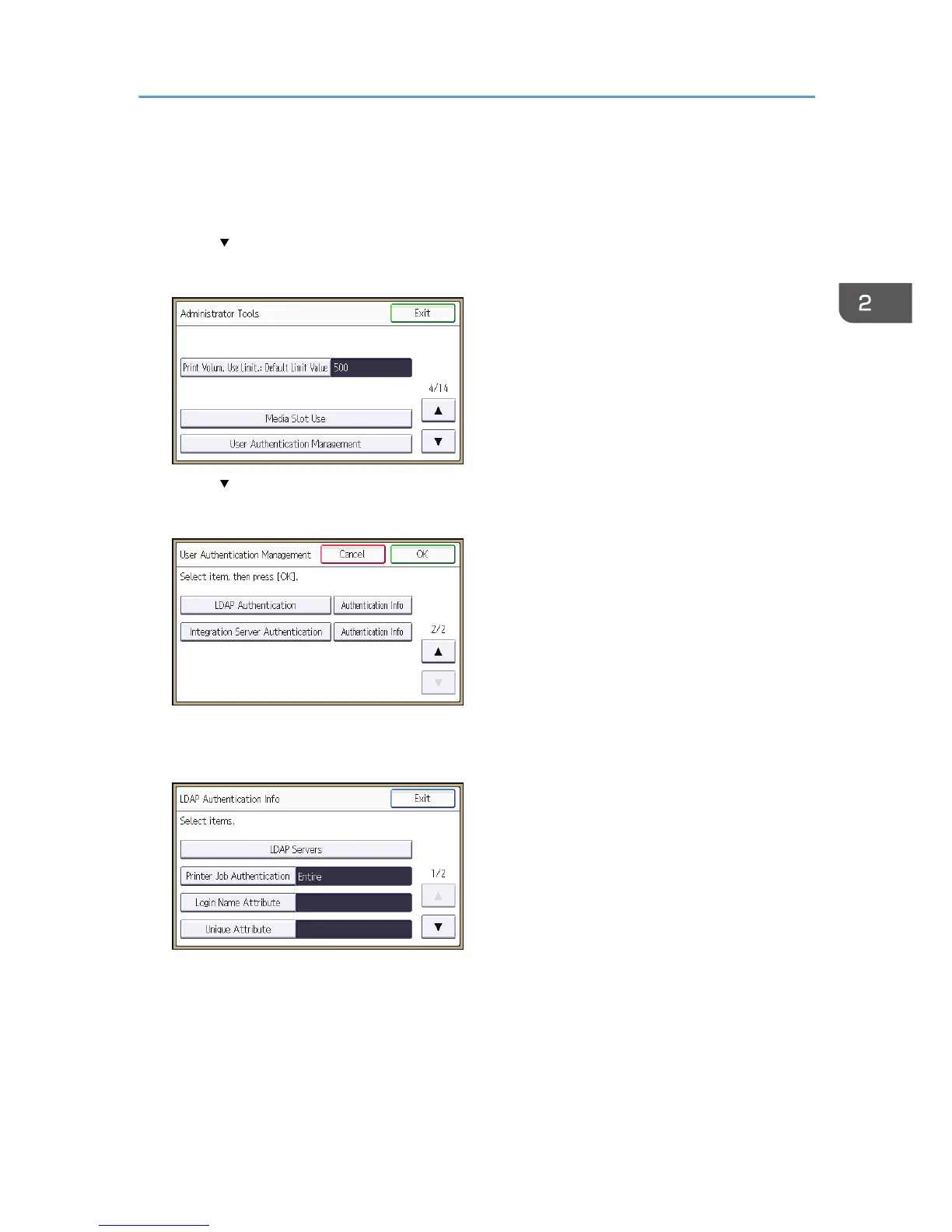
4. Press [ ] three times.
5. Press [User Authentication Management].
6. Press [ ].
7. Select [LDAP Authentication], and then press [Authentication Info] next to it.
If you do not want to use user authentication management, select [Off].
8. Press [LDAP Servers].
LDAP Authentication
53



 To Next Page