3. Press the [Home] key on the top left of the control panel, and press the [Document Server]
icon on the [Home] screen.
If the message ""You do not have the privileges to use this function."" appears, press [Exit].
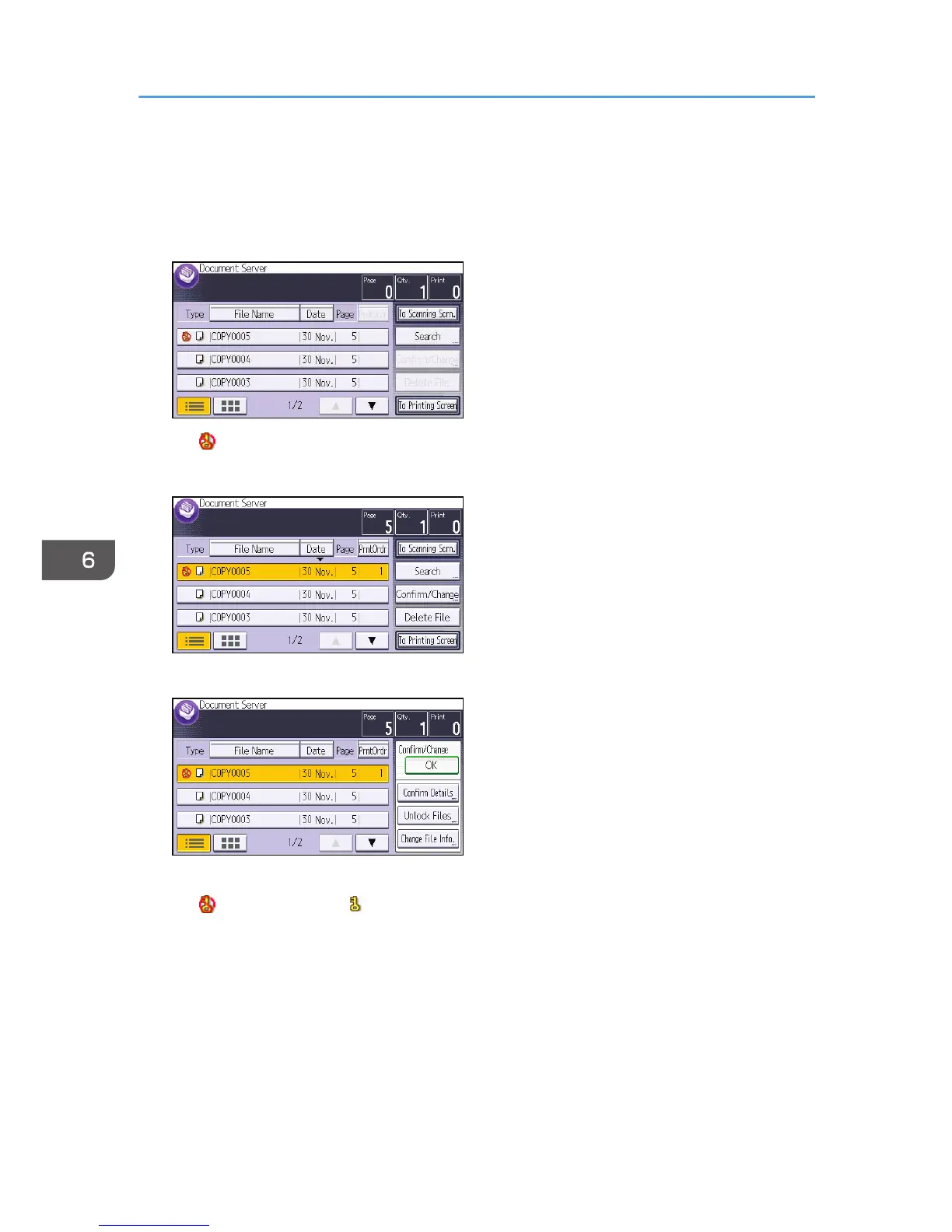
4. Select the file.
The icon appears next to a file locked by the Enhance File Protection function.
5. Press [Confirm/Change].
6. Press [Unlock Files].
7. Press [Yes].
The icon changes to the icon.
8. Press [OK].
9. Log out.
6. Preventing the Leaking of Documents
190



 To Next Page