Chapter 1 — Preparing the scanner 11
Unlocking the scanner
The scanner’s optical box contains all optical components and rides back and
forth during the scan. A locking slider holds it in place during shipment. You have
to unlock the scanner before you switch on the scanner.
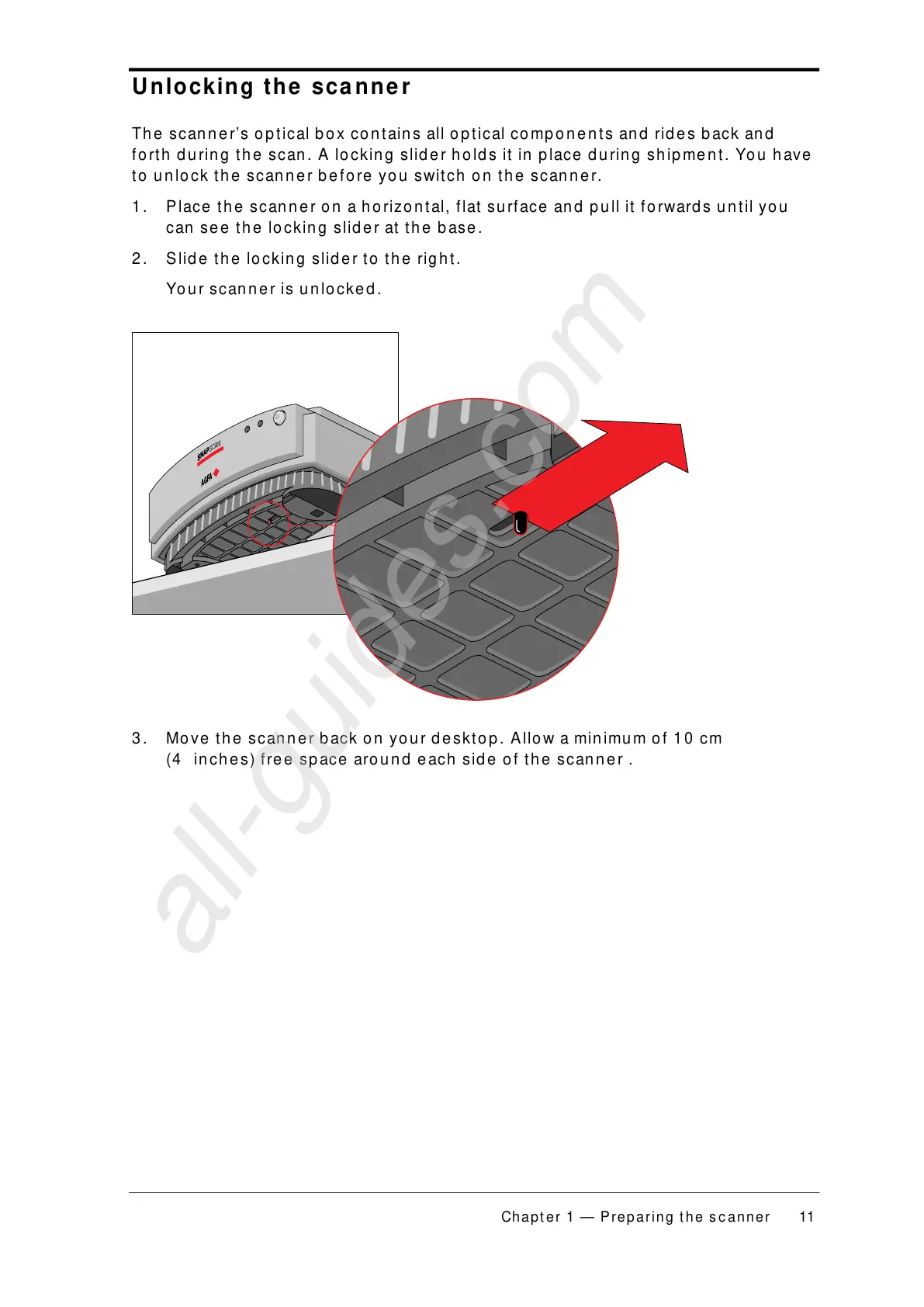
1. Place the scanner on a horizontal, flat surface and pull it forwards until you
can see the locking slider at the base.
2. Slide the locking slider to the right.
Your scanner is unlocked.
3. Move the scanner back on your desktop. Allow a minimum of 10 cm
(4 inches) free space around each side of the scanner .



 To Next Page