Chapter 3 — Installing the scanner for the PC 28
Choosing a SCSI ID number
1. Make sure your scanner is disconnected.
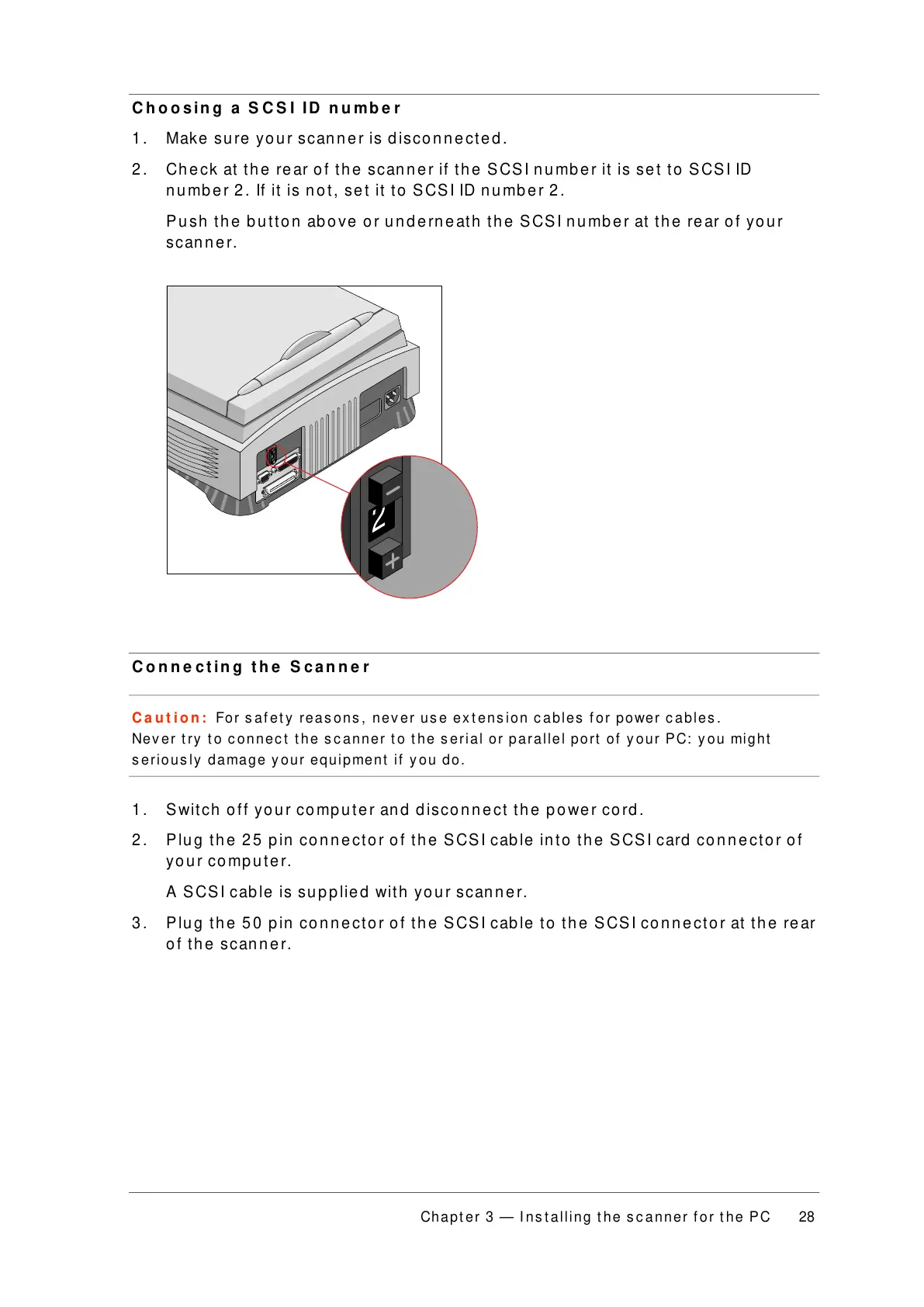
2. Check at the rear of the scanner if the SCSI number it is set to SCSI ID
number 2. If it is not, set it to SCSI ID number 2.
Push the button above or underneath the SCSI number at the rear of your
scanner.
Connecting the Scanner
Caution: For safety reasons, never use extension cables for power cables.
Never try to connect the scanner to the serial or parallel port of your PC: you might
seriously damage your equipment if you do.
1. Switch off your computer and disconnect the power cord.
2. Plug the 25 pin connector of the SCSI cable into the SCSI card connector of
your computer.
A SCSI cable is supplied with your scanner.
3. Plug the 50 pin connector of the SCSI cable to the SCSI connector at the rear
of the scanner.



 To Next Page