Chapter 3 — Installing the scanner for the PC 35
2. Your PC has a 50-pin connector
Your SnapScan is the only SCSI device to be connected to your PC:
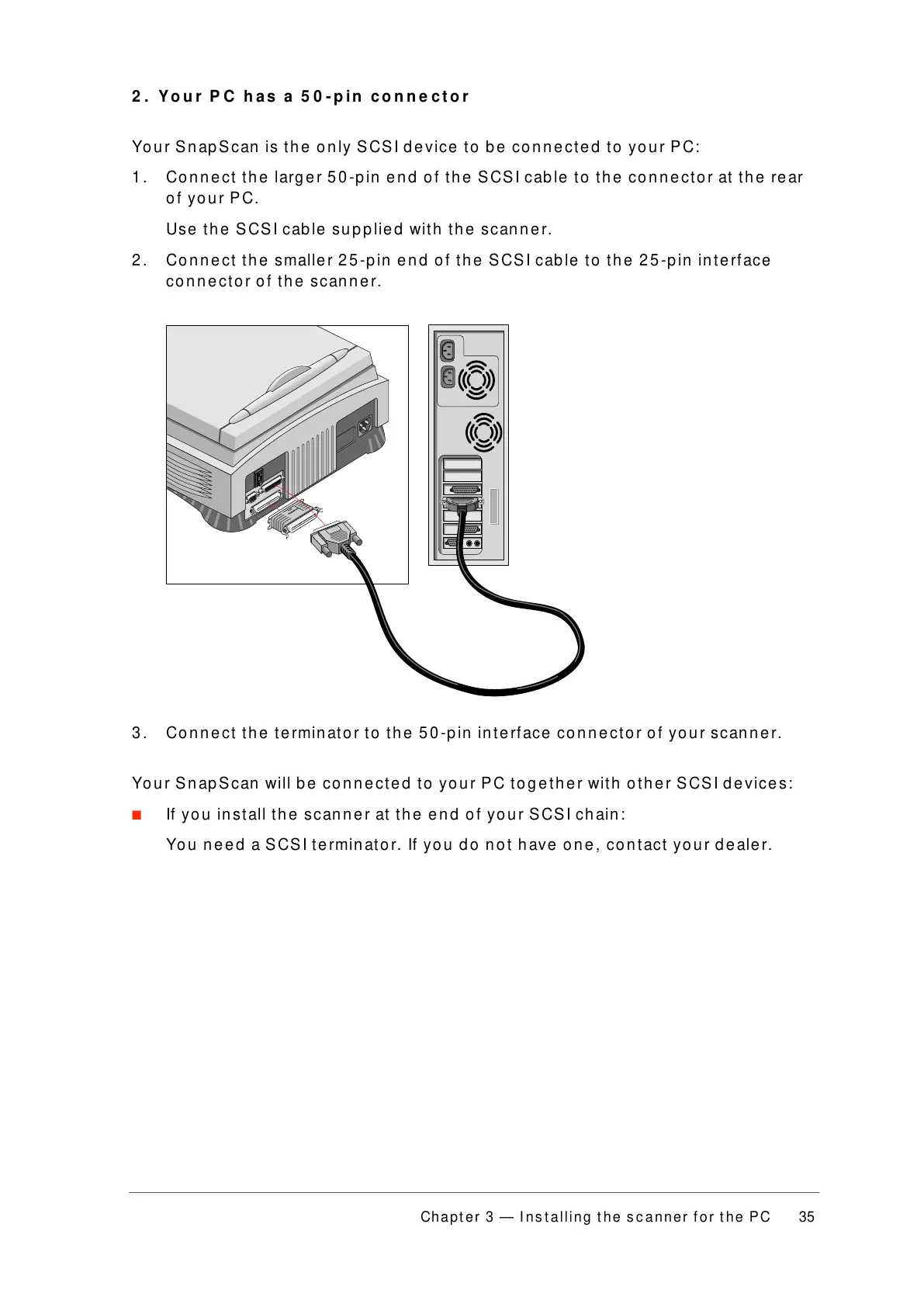
1. Connect the larger 50-pin end of the SCSI cable to the connector at the rear
of your PC.
Use the SCSI cable supplied with the scanner.
2. Connect the smaller 25-pin end of the SCSI cable to the 25-pin interface
connector of the scanner.
3. Connect the terminator to the 50-pin interface connector of your scanner.
Your SnapScan will be connected to your PC together with other SCSI devices:
■ If you install the scanner at the end of your SCSI chain:
You need a SCSI terminator. If you do not have one, contact your dealer.



 To Next Page