Chapter 2: Installing the Scanner for PC 21
1
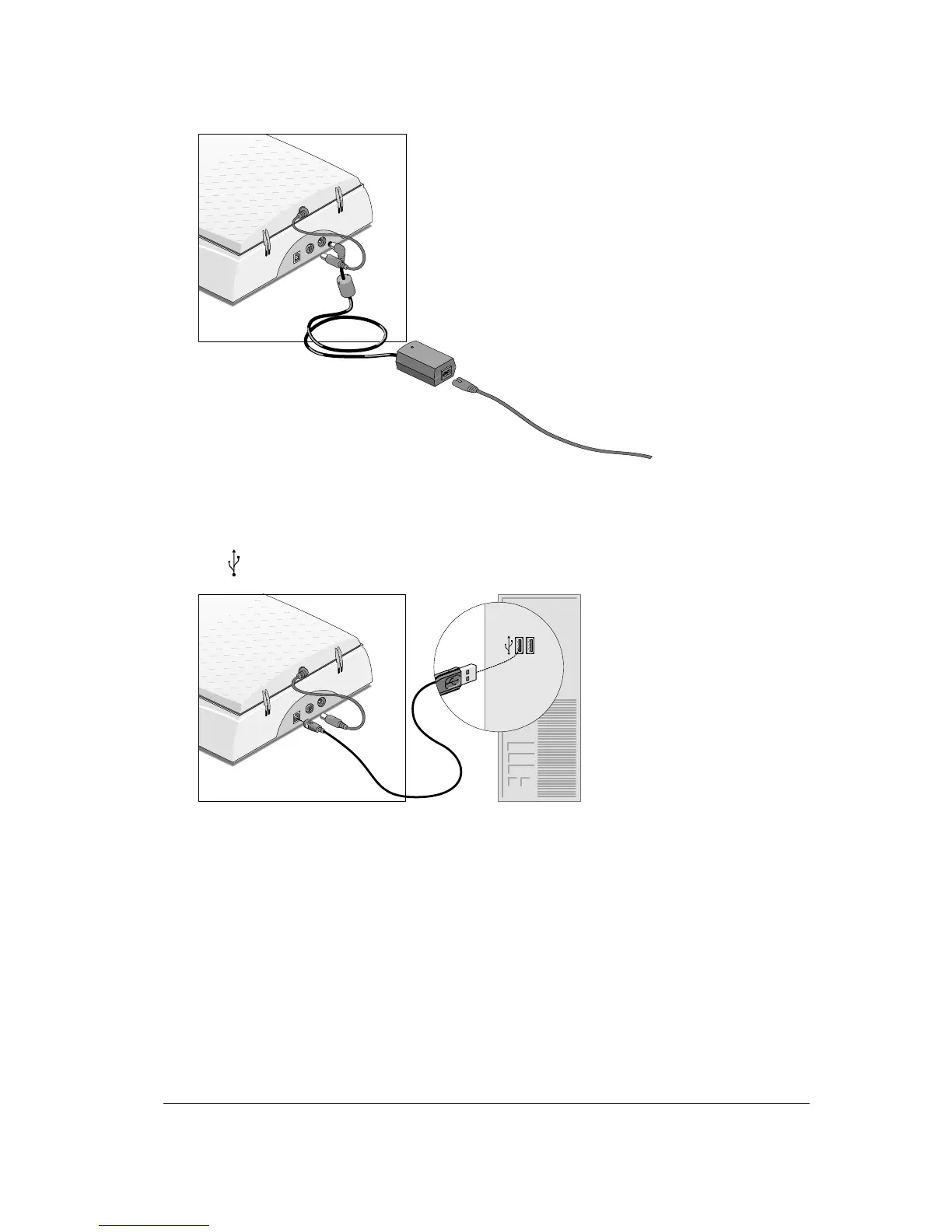
Connect the plug of the AC adapter to your scanner.
2
Plug the adapter cable in the wall outlet.
3
Connect one end of your USB cable to the USB port on your scanner. Make sure you connect
the correct plug as shown in the figure below.
4
Connect the other end of your USB cable to a USB port on your computer. Make sure you
connect it to the correct port as shown in the figure below. A USB port is labeled with the USB
icon
.
Windows 98/2000 will now detect the scanner and will install the necessary files for the
scanner hardware driver.



 To Next Page