Chapter 3: Configuring Buttons on your PC (SnapScan e50) 24
Selecting a Different ScanWise Configuration
(SnapScan e50)
It is possible to assign a different configuration to one of the four buttons of your SnapScan e50.
The following example will show you how this is done.
In this example we will change the settings of the e-mail button into a configuration that will send
the scanned image to a mail recipient.
1
Open the Agfa ScanWise software.
2
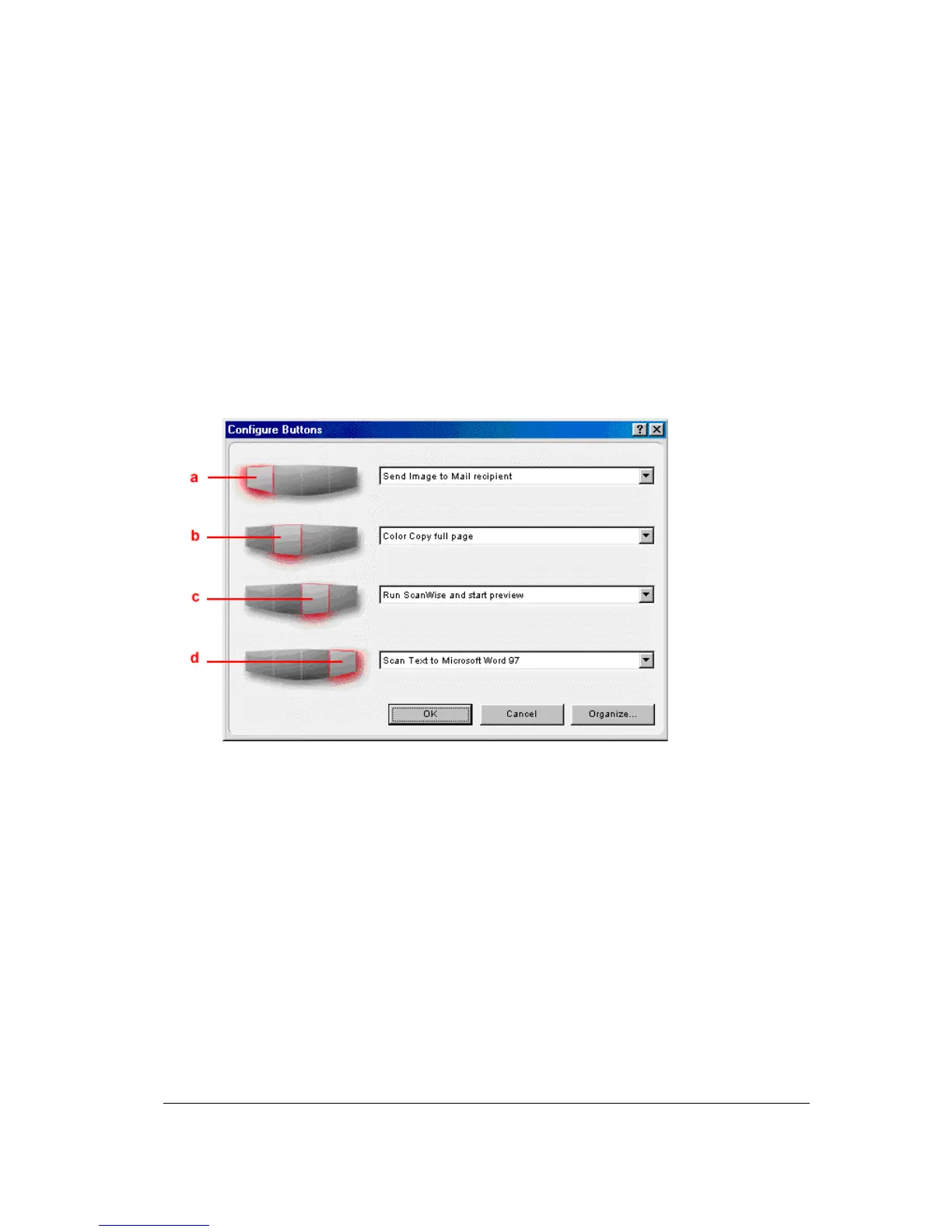
Select Configure Buttons from the Tools menu.
The Configure Buttons window appears.
a. e-mail button
b. print button
c. ScanWise button
d. OCR button
3
Click the drop-down list next to the e-mail button.
4
Select Scan Image to File (autoselect).
5
Click OK.
Pushing the e-mail button will send the scanned image to a file instead of to your mail
recipient.
# Note: The same procedure can be applied to the print, ScanWise and OCR button.



 To Next Page