EN-17
Setting the Date and Time
The date/time needs to be set if/when:
The digital video camera is turned on for the first time.
The digital video camera is turned on after being left without batteries for an
extended period of time.
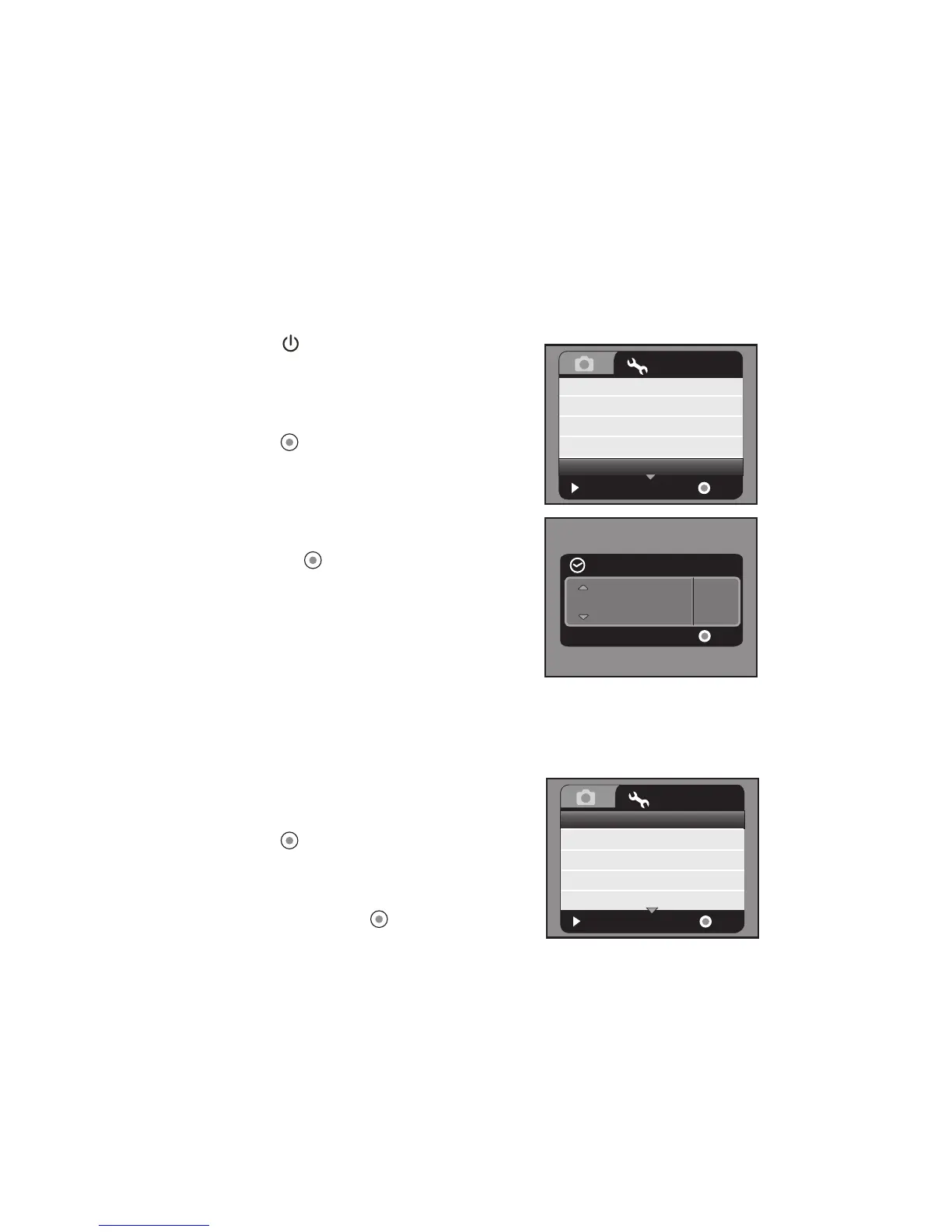
1. Press the button until the digital video
camera turns on.
2. Press the MENU button.
3. Select [Setup] with the f
button.
4. Select [Date/Time] with the c / d buttons, and
press the button.
Select the item’s field with the e / f buttons
and adjust the value for the date and time
with the c / d buttons.
The time is displayed in 24-hour format.
After confirming all settings are correct,
press the button.
5. To exit from the [Setup] menu, press the f
button.
Choosing the Language
Specify in which language menus and messages are to be displayed on the LCD monitor.
1. Press the MENU button.
2. Select [Setup] menu with the f button.
3. Select [Language] with the c / d buttons, and
press the button.
The Language setting screen will be
displayed.
4. Select the displayed language with the c / d
buttons, and press the button.
The setting will be stored.
:
Exit
:
Language
Format
LCD Bright.
Light Freq.
Date / Time
English
Next Menu
0
50Hz
OK
Setup
Next Menu
Y/M/D
00:00
Date / Time
:
OK
2008.01.01
:
Exit
:
Language
Format
LCD Bright.
Light Freq.
Date / Time
English
Next Menu
0
50Hz
OK
Setup
Next Menu



 To Next Page