Motor Configuration
AGD301 Product Manual Rev.2.0 Page 52
4 Operation
4.1 Motor Configuration
This manual uses the product with a linear DC brushless motor as an example for illustration of the
configuration and operation. For advanced configuration and operation, refer to the respective
software manuals.
1. Connect the product to power supply, motor, encoder and other I/Os according to the
descriptions in the Electrical Interfaces section.
Make sure the safety port is connected before any operation.
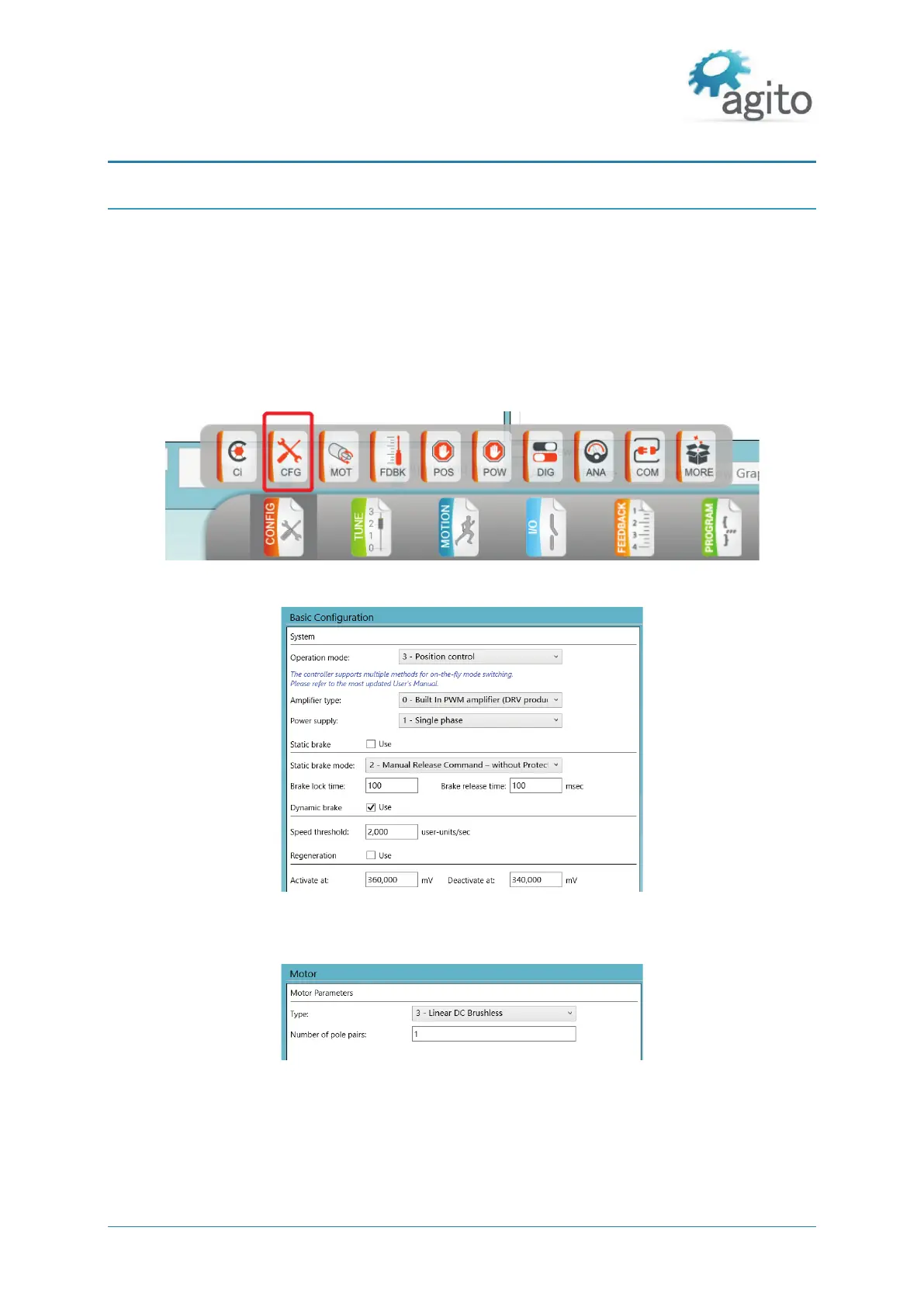
2. Open Agito PCSuite software. Select CFG in CONFIG below and setup the parameters as follows:
Figure 32. Configuration
Figure 33. Operation Mode Configuration
3. Click Next and set the motor type and number of pole pairs according to the test motor.
Figure 34. Select Motor Type
4. Click Next to setup the position feedback parameters. The definition of Resolution depends on
the motor and encoder type. For rotary motor and rotary encoder, it is the number of encoder
counts per mechanical revolution. For linear motor, it is the number of encoder counts per
magnetic pitch (one pole-pair).



 To Next Page