2.Turn on the remote control
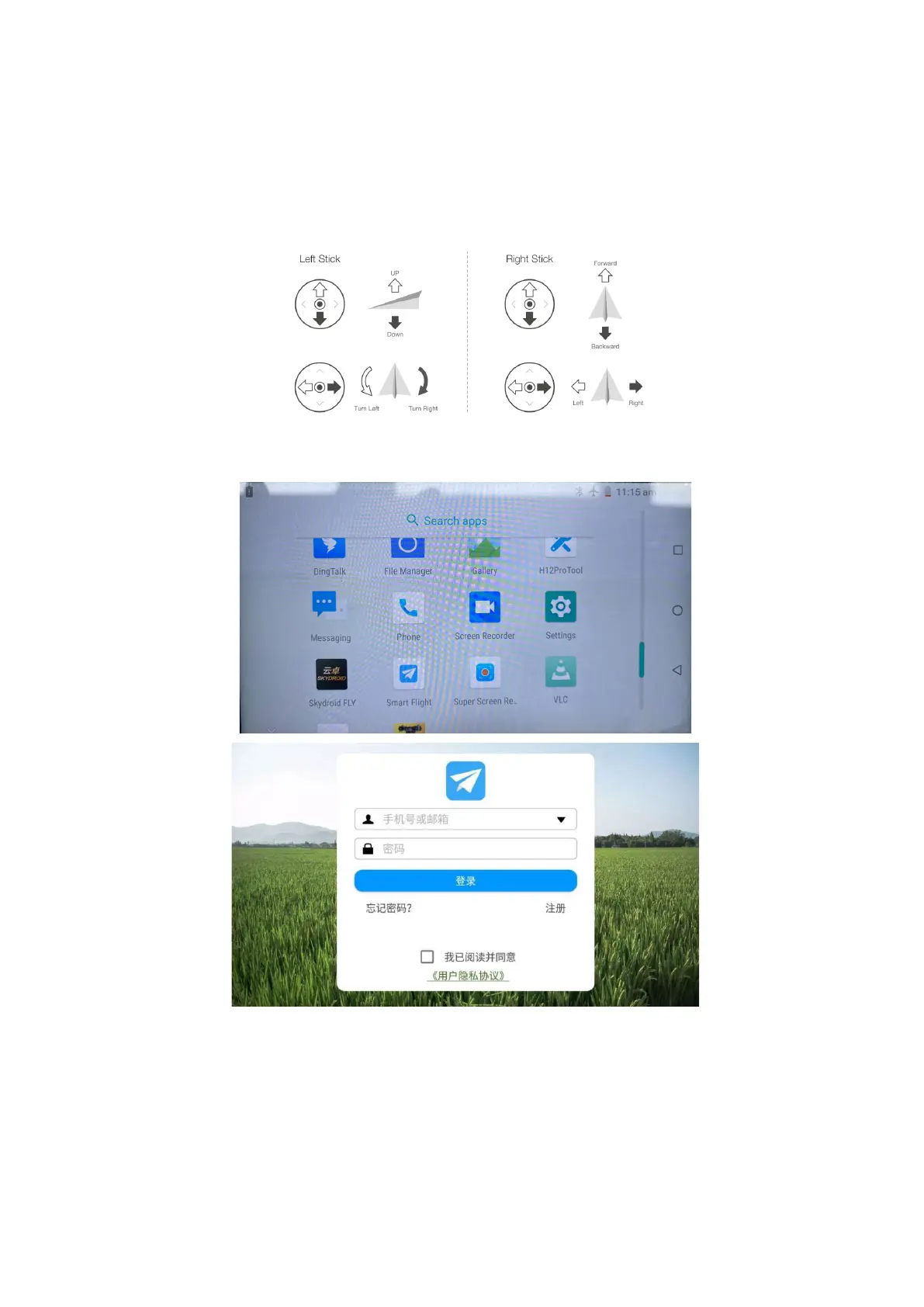
Take the "American hand" as an example: the left sticks control the flight altitude and
direction, and the right sticks controls the forward, backward and left and right flight
direction of the unmanned aircraft
.
Powering the remote controller on and off:Press and hold the remote control power button
to turn on the device,and open the“smart fly” app



 To Next Page