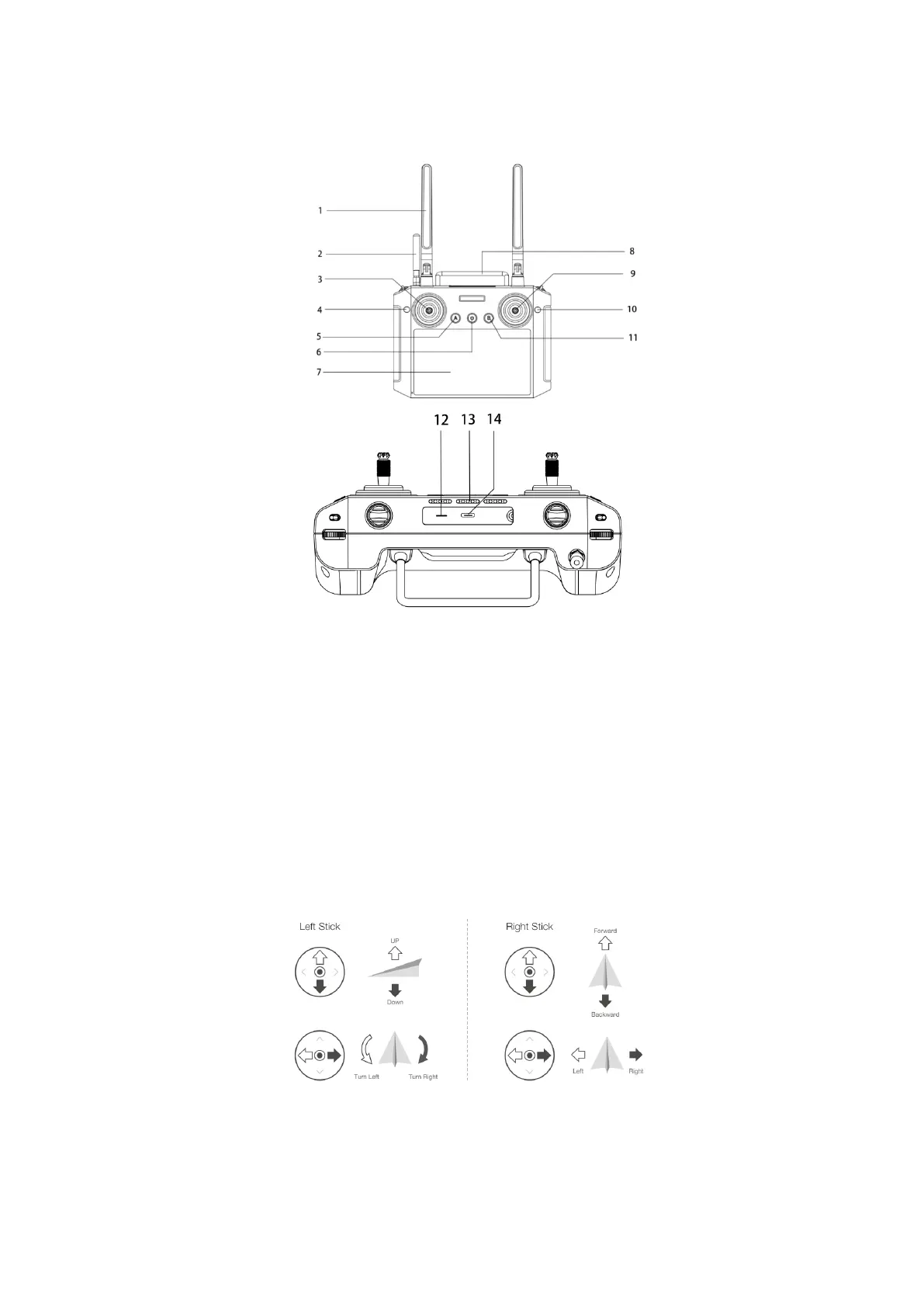
5.Remote control structure introduction
Stick model(Default American hand)
Take the "American hand" as an example: the left sticks control the flight altitude and
direction, and the right sticks controls the forward, backward and left and right flight
direction of the unmanned aircraft
.
Powering the remote controller on and off:Press and hold the remote control power button
to turn on the device,and open the app
1、Antennas
2、Base station antenna
3、Left control sticks
4、Radar button
5、M+ Left lateral shift
6、Power
、
、
9、Right control sticks
10、spray/spread button
11、M+ right lateral shift
12、SIM slot
13、speaker
、



 To Next Page