6.Logout, Real-name Verified, Operator Certification
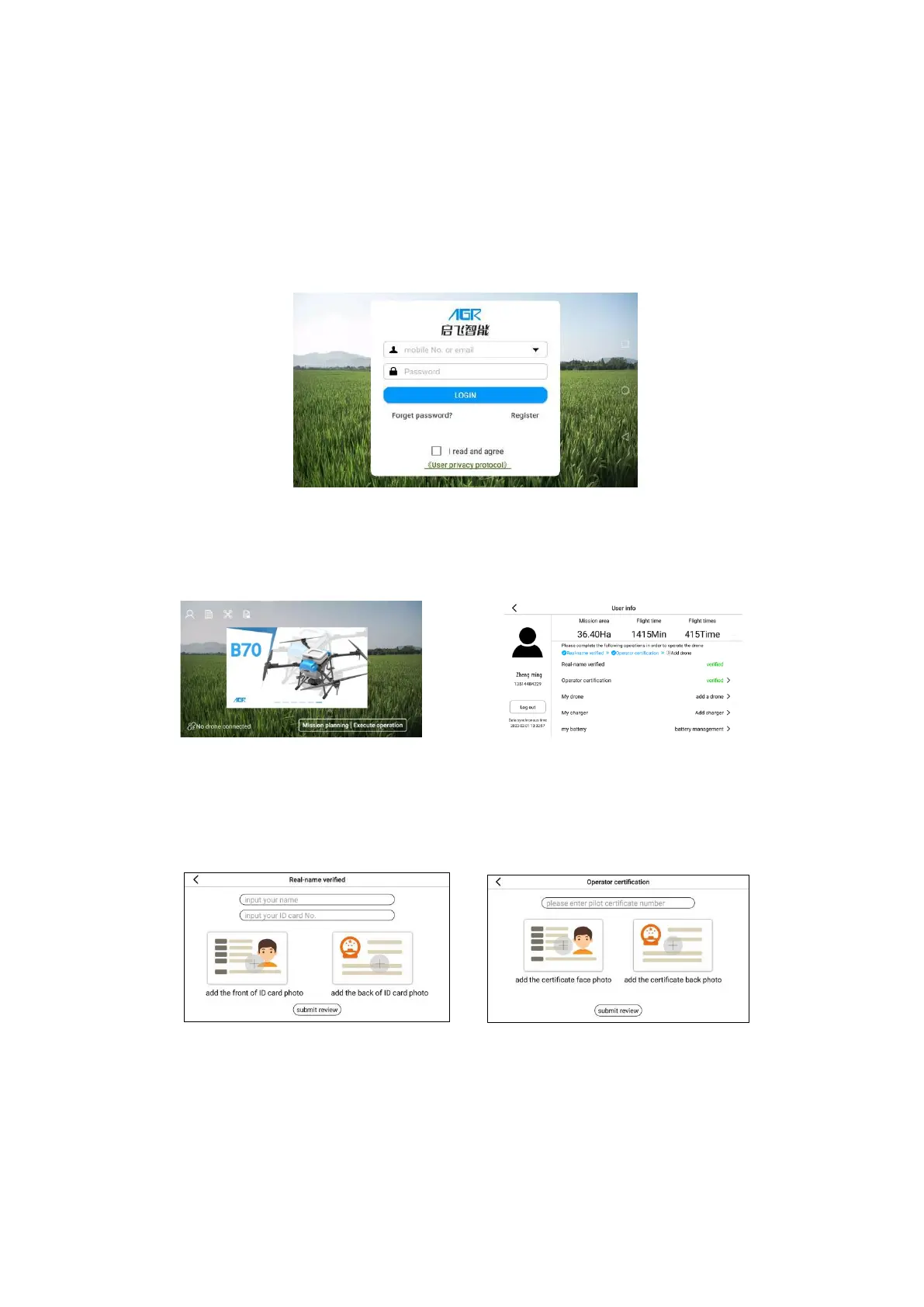
Step 1:Register and log in to your account
The registration invitation code defaults to "000000" and is registered under AGR. If
the user purchases the drone through a dealer, they are required to fill in the dealer
invitation code.
Step 2: Learn the Main Interface of AGR APP
Click the User Info icon to enter the User Info interface, enter Real-name Verified,
Operator Certification in sequence in this interface.
Step 3: Real-name Verified, Operator Certification
Fill in and upload the information of ID Card and Operator Certification, upload
Real-name Verified, Operator Certification in sequence. After submission, wait for the pass
which is expected to take 1-2 working days.
Step 4: Add drone
Enter the My drone interface and click Add drone. Add drone by entering the
Agriculture Drone ID (In drone nameplate) and activation code (In the first page of the user
guide or the drone frame).



 To Next Page