5. Check before Flight
Step 1: Select ground.
Place drone in a piece of outdoor ground with open terrain, no tall buildings, no
communication towers, and no high-voltage lines.
Step 2: Check drone.
Make sure the arm screws are tightened without loosening, unfold the propeller, and
ensure that the tail battery plug, motor and propeller are free of foreign objects.
Step 3: Turn on the remote control.
Open the APP, turn on the remote control, unfold the remote control antenna, and face
the antenna rod towards the drone.
Step 4: Supply power to the drone.
Connect the drone first, and then turn on the battery; Turn off the battery before
removing it. It is forbidden to connect the battery to the drone while it is turned on.
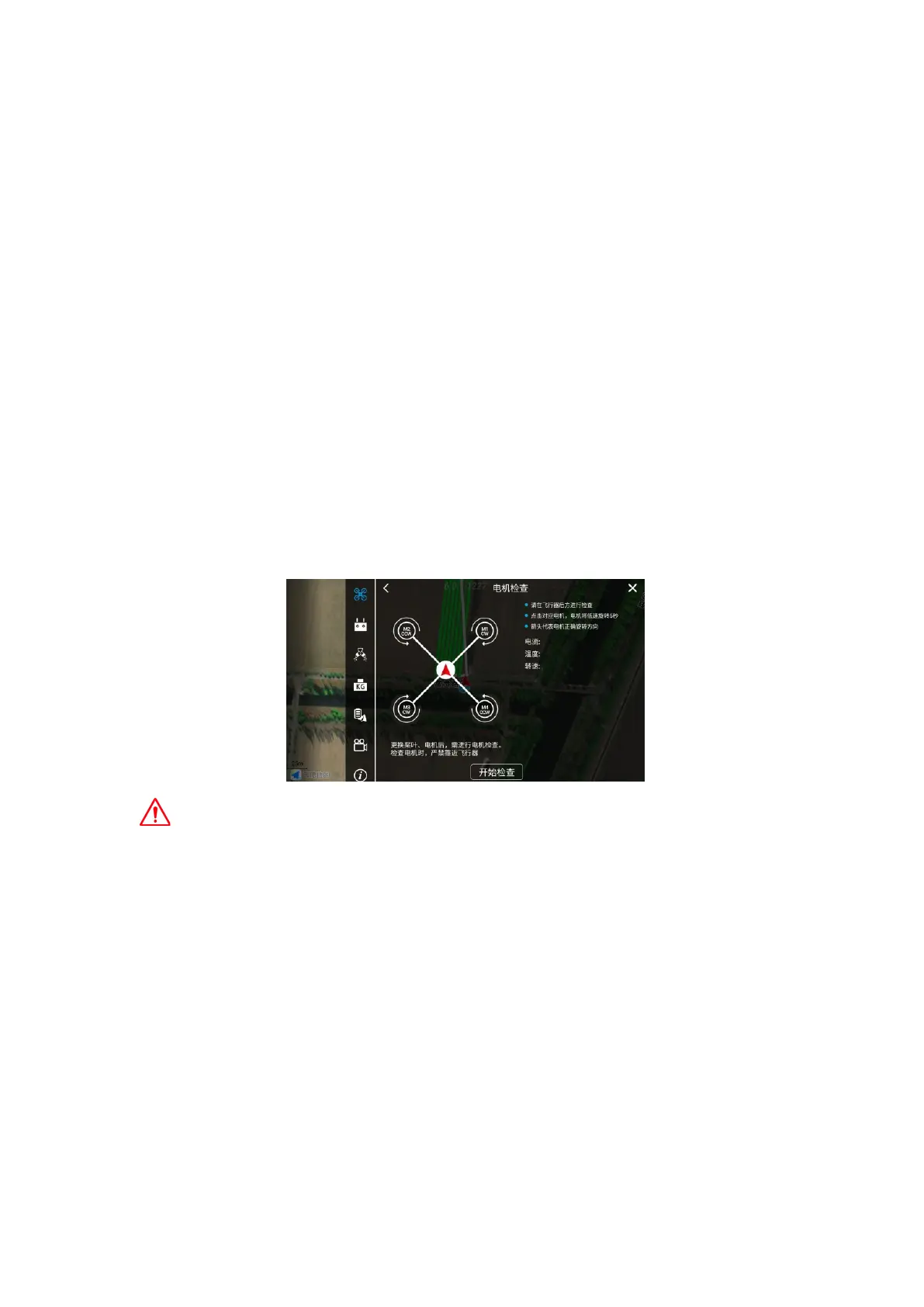
Step 5: Check the motor steering.
Enter the APP execution interface, click the More Settings button in the upper right
corner, enter the Drone settings, enter the motor inspection, and check the motor in turn
according to the APP prompts to ensure that the motor rotation sequence and rotation
direction are correct.
Motor inspection must be carried out in the following cases, otherwise flight safety risks
may occur:
After assembling the drone, make sure to check the motor to ensure that the power is
plugged correctly.
After replacing equipment such as propellers, motors, and arms that affect the motor
direction, be sure to perform a motor inspection.
Step 6: Calibrate the magnetic compass.
Enter the operation interface of the AGR APP, click the More Settings button in the
upper right corner, enter the Drone settings, enter the sensor interface, click Magnetic
Compass Calibration, and follow the APP prompts for magnetic compass calibration.



 To Next Page