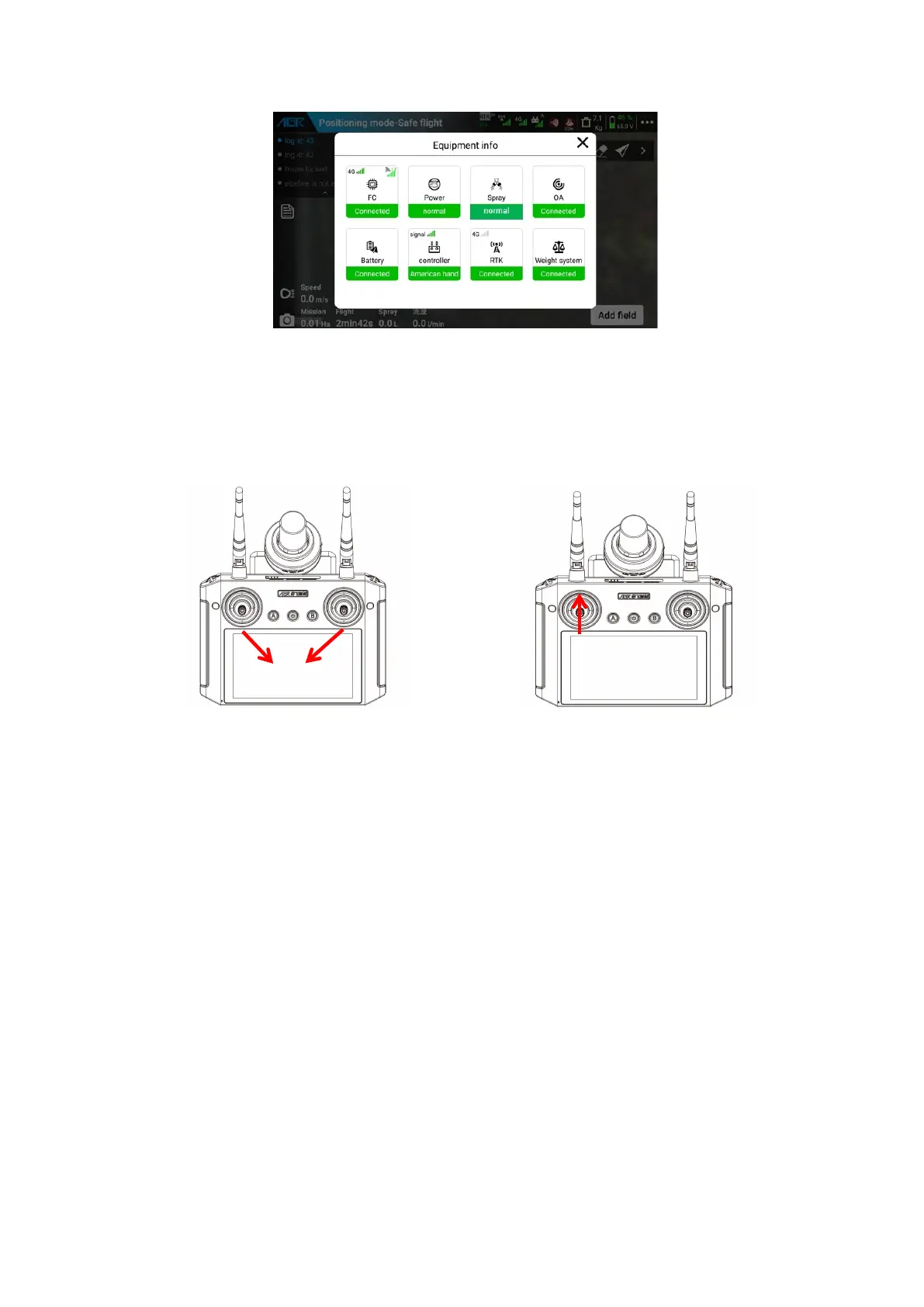
(4)Unlock and take off
Execute the toe in action of the left and right joysticks, the drone will carry out the
unlock alarm, the motor indicator flashes, the drone unlocks after 3 seconds, and the
propeller will rotate at idle speed. Push the throttle stick up and the drone can take off.
(5)Operate the flight
Press the stick according to the corresponding operator mode to operate the drone
forward, backward, left, right, turn left, turn right, rise and fall. For specific corresponding
operation methods, please refer to the APP operation mode diagram.
(6)Land and Lock
Pull the throttle stick down until the drone lands on the ground. Then you can perform
the toe out action of the left and right joysticks or pull the throttle stick to the lowest
position, and the drone can be locked, that is, the propeller stops.
Toe in action unlocking (USA hand, JP hand)
Toe out action unlocking (Chinese hand)
Push the throttle up to take off (E.g:USA hand )



 To Next Page