23
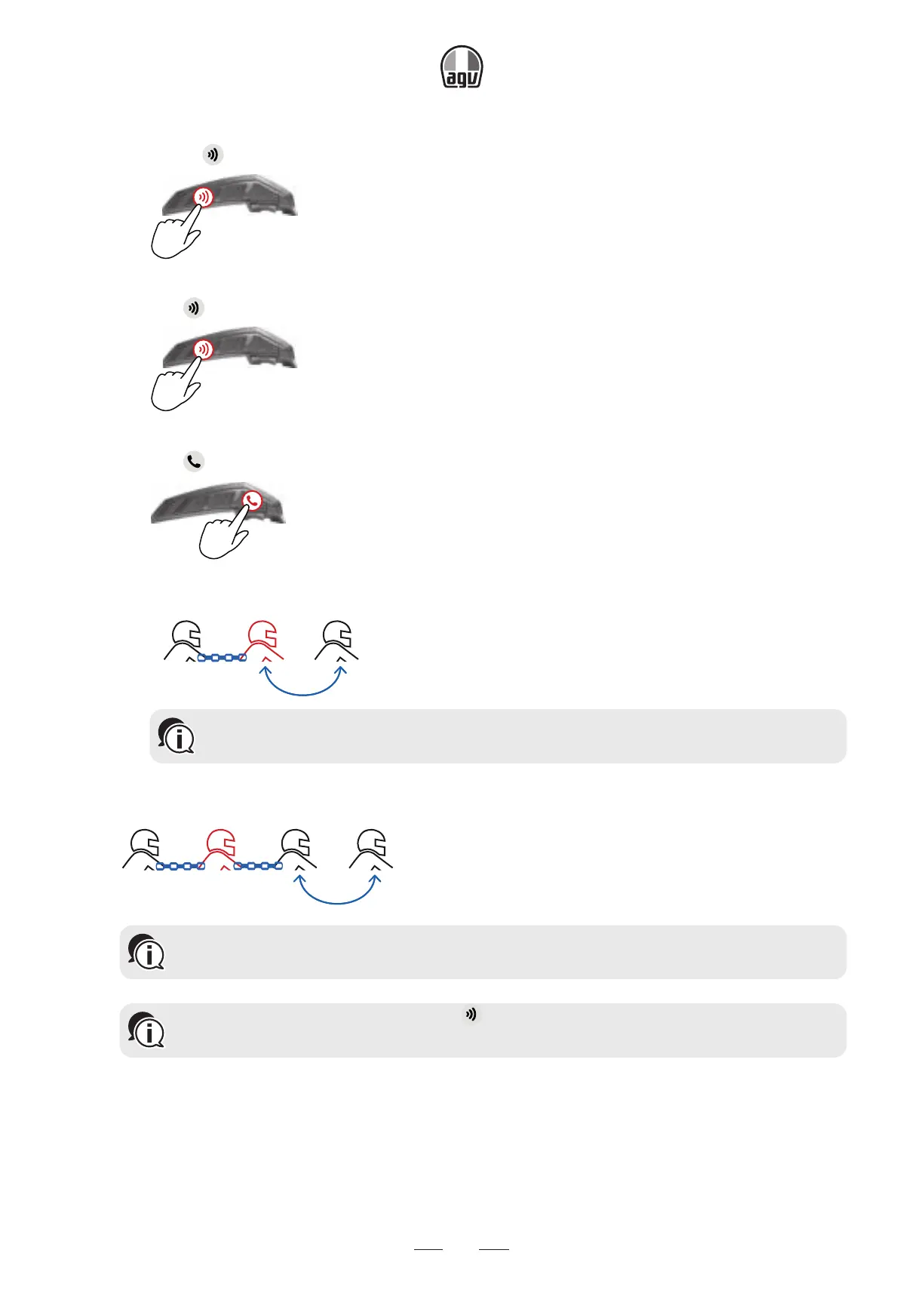
3. To add a 3
rd
rider:
• Press for 5".
5”
→ The LED flashes red.
• Tap 2 times.
x2
→ The LED flashes blue.
• Tap .
x1
→ The LED flashes red and blue.
Rider 2YouRider 1
Bluetooth
®
intercom pairing needs to be initiated on the other device.
4. To add a 4
th
rider, Rider 1 or Rider 2 connects to the additional rider on his free channel.
Rider 2YouRider 1 Rider 3
Bluetooth
®
intercom pairing needs to be initiated on the other device.
To cancel the pairing process, press for 5". The LED stops flashing. If pairing is
not completed within 2 minutes, the unit automatically returns to Standby.


 To Next Page