18 19
MX STRADA SERIESCHAPTER 5
Using AiM Race Studio 3 software you can configure MX Series, manage its tracks database as
well as check other device functions through Race Studio 3 device window.
5 MX Strada series and the PC
MX Series can be connected to the PC via Wi-Fi or using the USB cable included in the kit: plug
it in the cable labelled “USB” of MX Series 37 pins connector harness and in the PC USB port.
5.1 Connection to the PC
Once MX Strada series connected to the PC
n
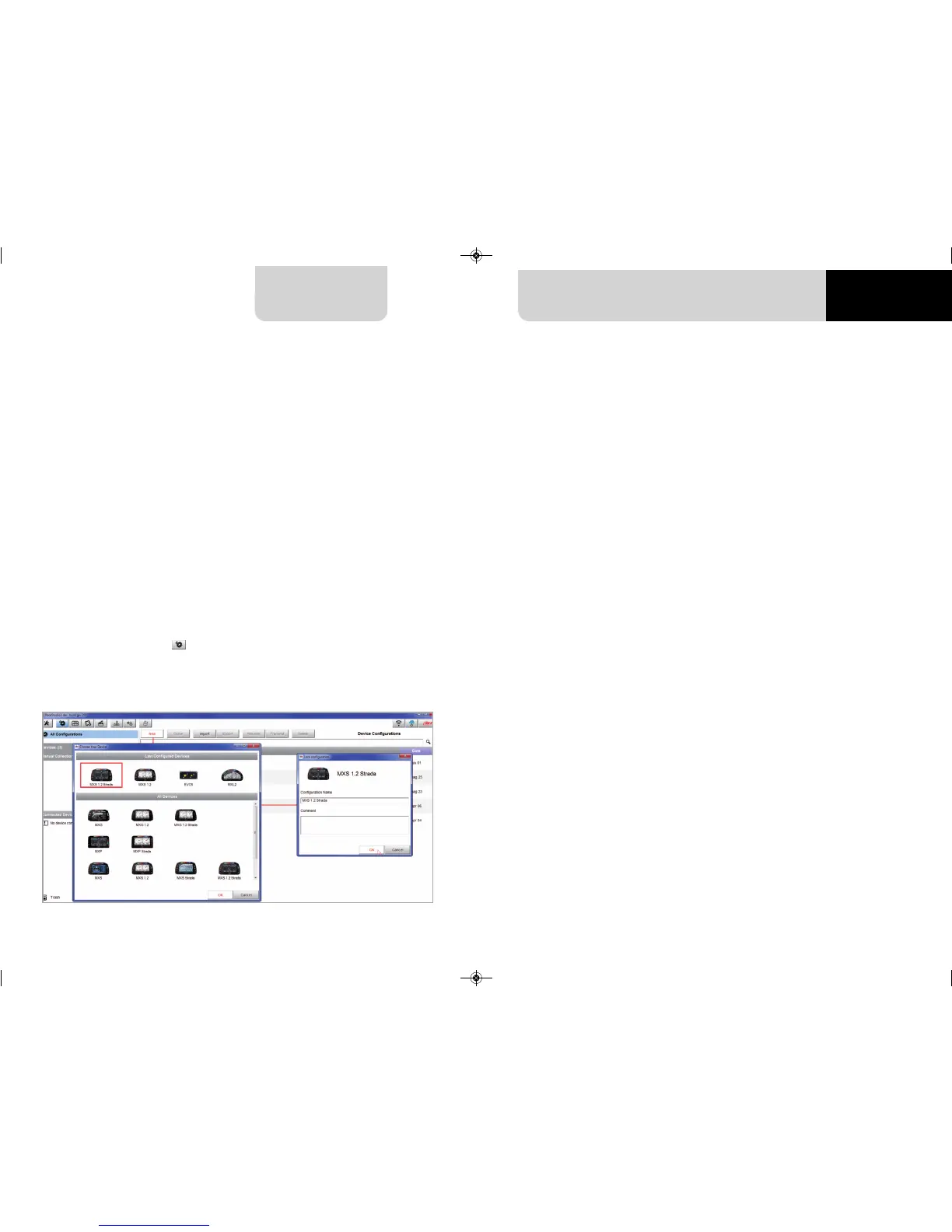
click “Configurations” icon and configurations page appears
n
click “New” and new configuration panel appears: select “MX Strada series” dash and press
“OK”; when performing subsequent configurations “Select configuration” panel shows
on top the last four devices you configured.
5.2 Configuration of MX Strada series
This is the list of the features to be configured:
n
Channels: analog and digital sensors that directly connected to MX Strada series dash.
n
ECU: the Engine Control Unit of the vehicle. MX Strada series dash manages CAN, RS232 and
K-Line protocols
n
CAN2: in case the system is connected to other CAN devices, beside the ECU, they have to
be connected to CAN 2 port
n
CAN expansions: other AiM CAN Devices, like, for example, Lambda controller, GPS Module
Channel expansions etc.
n
Math channels: some calculated channels that may be helpful in some situations
n
Some other calculated variables, useful for managing alarms, icons, LEDs.
MXG 1.2 MXP MXS 1.2 STRADA 2019.qxp_Layout 1 15/03/19 11:57 Pagina 19



 To Next Page