30 31
MX STRADA SERIESCHAPTER 5
This CAN expansion only supports K type thermo-couples.
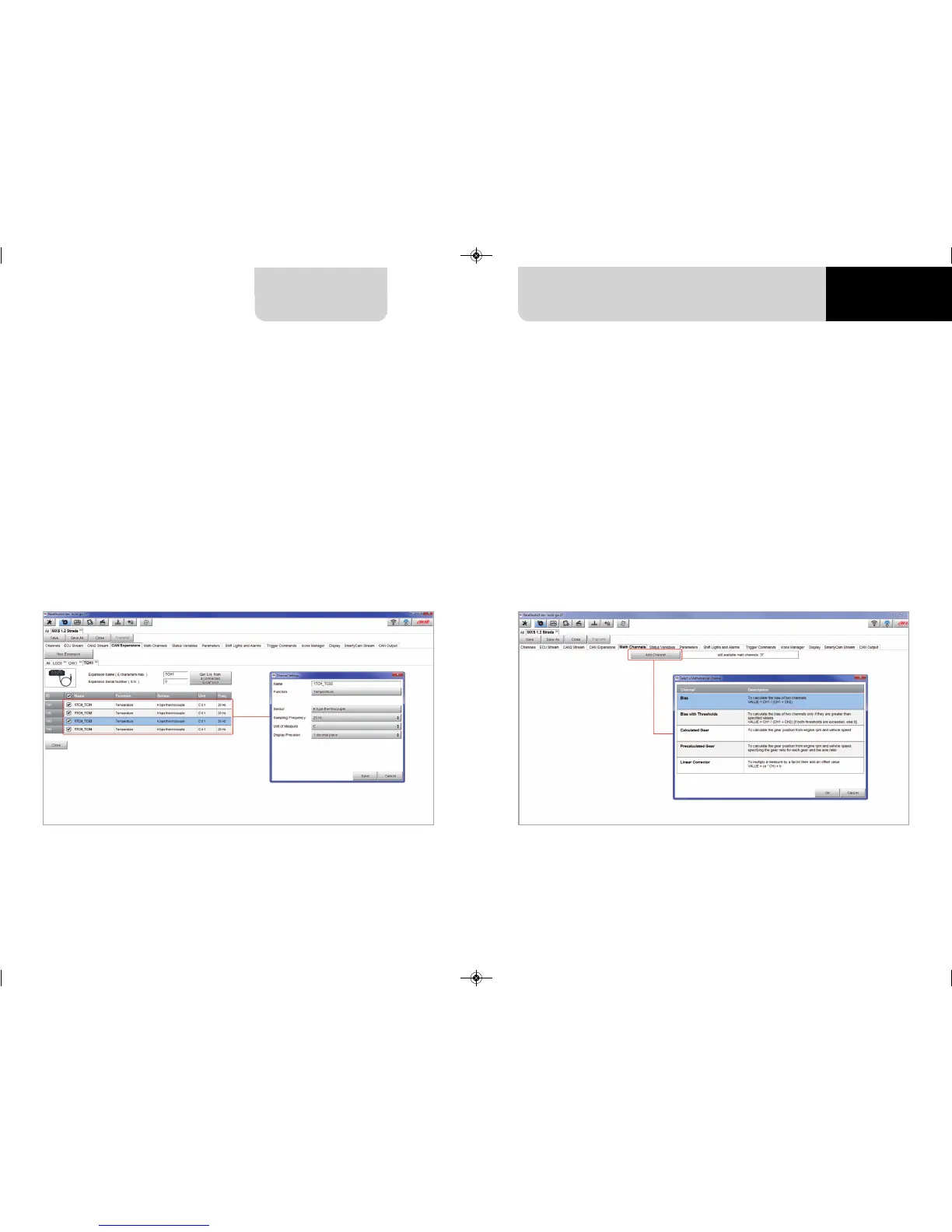
To set a TC Hub:
n
press “New Expansion” button;
n
select “TC Hub” and press OK
n
name the TC Hub expansion and fill in its serial number or press “Get SN from a
connected expansion” to receive the serial number from the connected TC Hub
n
for each channel set sampling frequency, measure unit and display precision
n
press “Close” to save and exit
Please note: for any further information about AiM TC Hub refer to the related user manual
you can download from AiM website
www.aim-sportline.com documentation area, products section.
Setting TC Hub.
5.2.5 Math channels configuration
To create math channels; available options are:
n
Bias: considering a relation between two mutually compatible channels it computes which
one is prevailing (typically used for suspensions or brakes);
n
Bias with threshold: it needs the user to set a threshold value for the considered channels ;
once these threshold are both exceeded the system makes the calculation;
n
Calculated gear: it calculates the gear position using engine RPM and vehicle speed
n
Precalculated gear: it calculates the gear position using Load/Shaft ratio for each gear
and for the vehicle axle too
n
Linear correction: typically used when a channel is not available in the desired format or
if it is wrongly tuned and cannot be tuned again
Each option asks the user to fill in a proper panel.
MXG 1.2 MXP MXS 1.2 STRADA 2019.qxp_Layout 1 15/03/19 11:57 Pagina 31



 To Next Page