56 57
MX STRADA SERIESCHAPTER 5
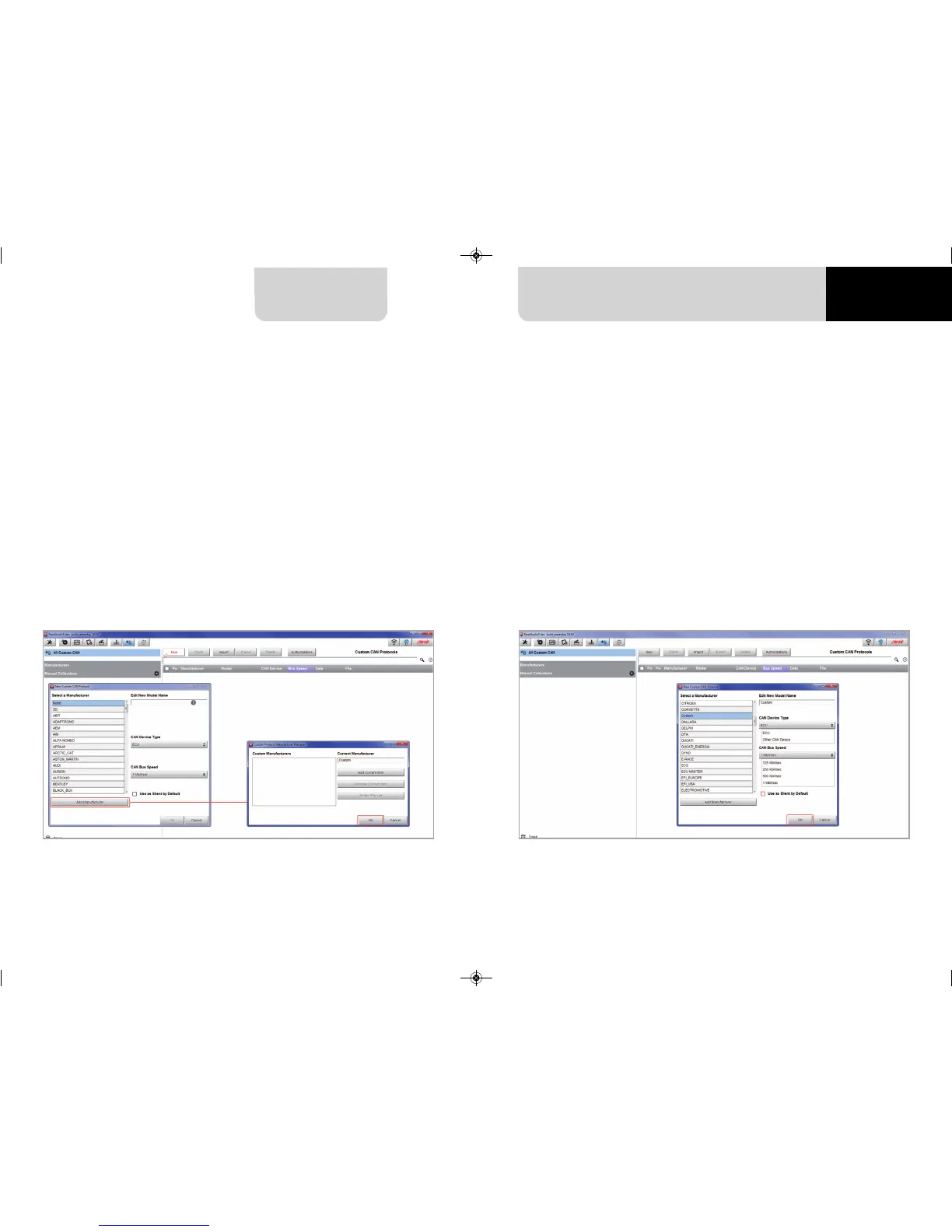
The software comes back to “New Custom CAN Protocol”:
n
select the ECU Manufacturer previously created
n
fill in the Model name in the panel top right box
n
select the CAN Device type; available options are:
n
ECU
n
other CAN Devices
n
select the CAN Bus speed; available options are:
n
125 Kbit/sec
n
250 Kbits/sec
n
500 Kbit/sec
n
1 Mbit/sec
n
if the network features multiple devices we suggest to enable “Use as Silent by Default”
checkbox
n
press “OK” and a new CAN Driver has been added
If the vehicle ECU is not included in Race Studio 3 software a specific CAN protocol can be crea-
ted using CAN Driver builder.
Please note: this Race Studio function is for expert users only.
It is possible to add a new ECU Manufacturer and/or a new ECU model. To do so:
n
press “New” on the top central keyboard
n
“New Custom CAN Protocol” panel shows up
n
press “Add Manufacturer” to add a new Manufacturer and
“Custom Protocol Manufacturer Manager” panel shows up
n
fill in the Manufacturer name (“Custom” in the example below)
n
press “OK”
n
to add a new ECU Model for an existing Manufacturer just select the manufacturer and
fill in “Edit new model name” box.
5.4 ECU Driver builder
For further information about how to set the new CAN Driver refer to the CAN Driver builder
user manual downloadable from www.aim-sportline.com, documentation area software/fir-
mware section.
MXG 1.2 MXP MXS 1.2 STRADA 2019.qxp_Layout 1 15/03/19 11:57 Pagina 57



 To Next Page