44 45
MX STRADA SERIESCHAPTER 5
The “Icon” is a set of images, each one of them to be shown on each page as desired, that
depend on a fixed condition that, when exists, triggers the proper image.
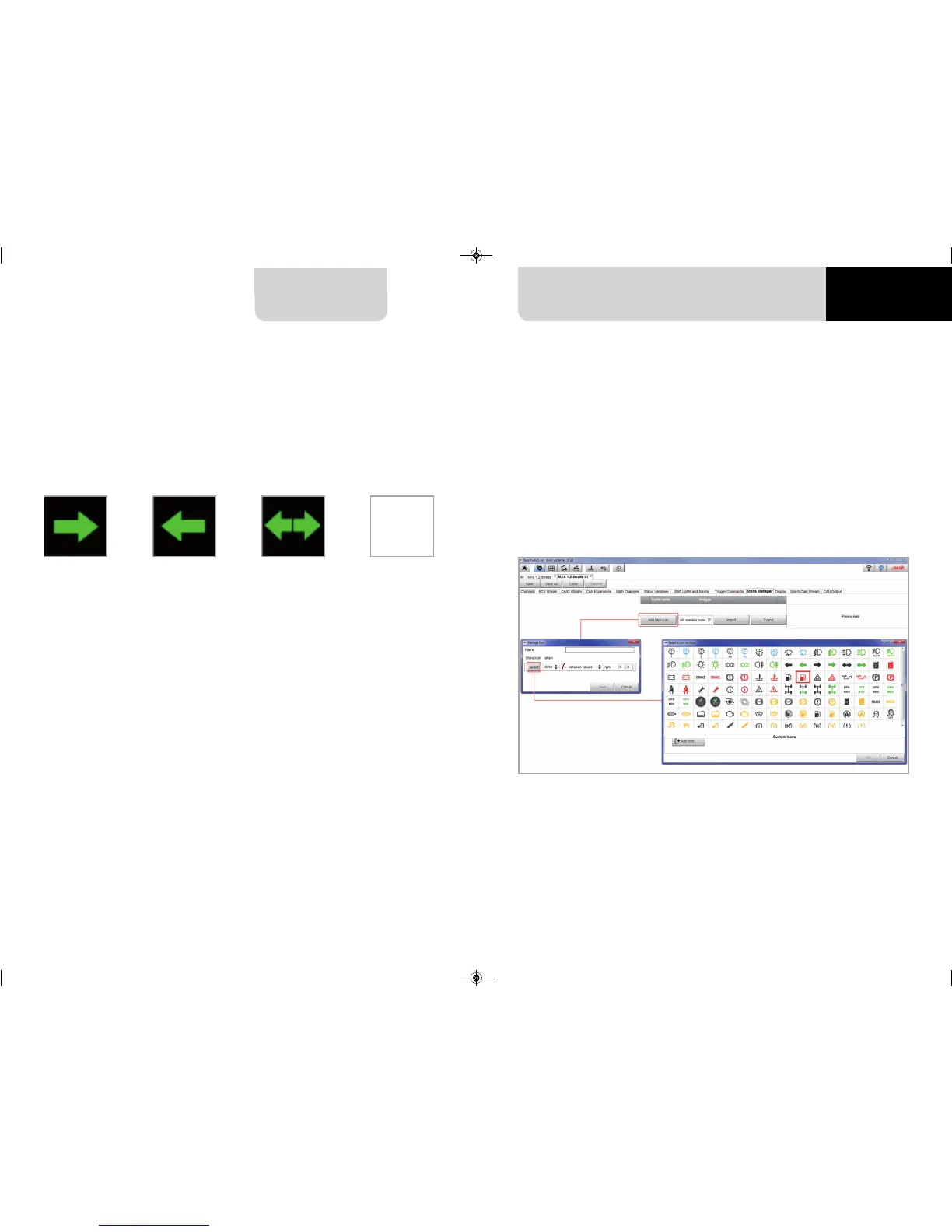
To configure an Icon
n
press “Add New Icon”
n
“Manage Icon” panel shows up
n
press “Select” to see the panel showing all images
n
select the image to set
n
the software comes back to “Manage Icon” panel
n
set the image conditions according to the channel they are related to
It is possible to use custom images pushing “Add New Icon” pushbutton. They have to be 64x64
pixels .png format.
For example:
n
the first image has to be shown when the signal Turn Right is TRUE
n
the second when the signal Turn Left is TRUE
n
the third when the signal Hazard is TRUE
n
the fourth when no signal is TRUE
Not all display pages offer the possibility to show icons but our technicians are working for
offering more pages with this feature.
5.2.10 Icons manager configuration
MXG 1.2 MXP MXS 1.2 STRADA 2019.qxp_Layout 1 15/03/19 11:57 Pagina 45



 To Next Page