Heatless Regenerative Desiccant Air Dryer | AHLD Series
25
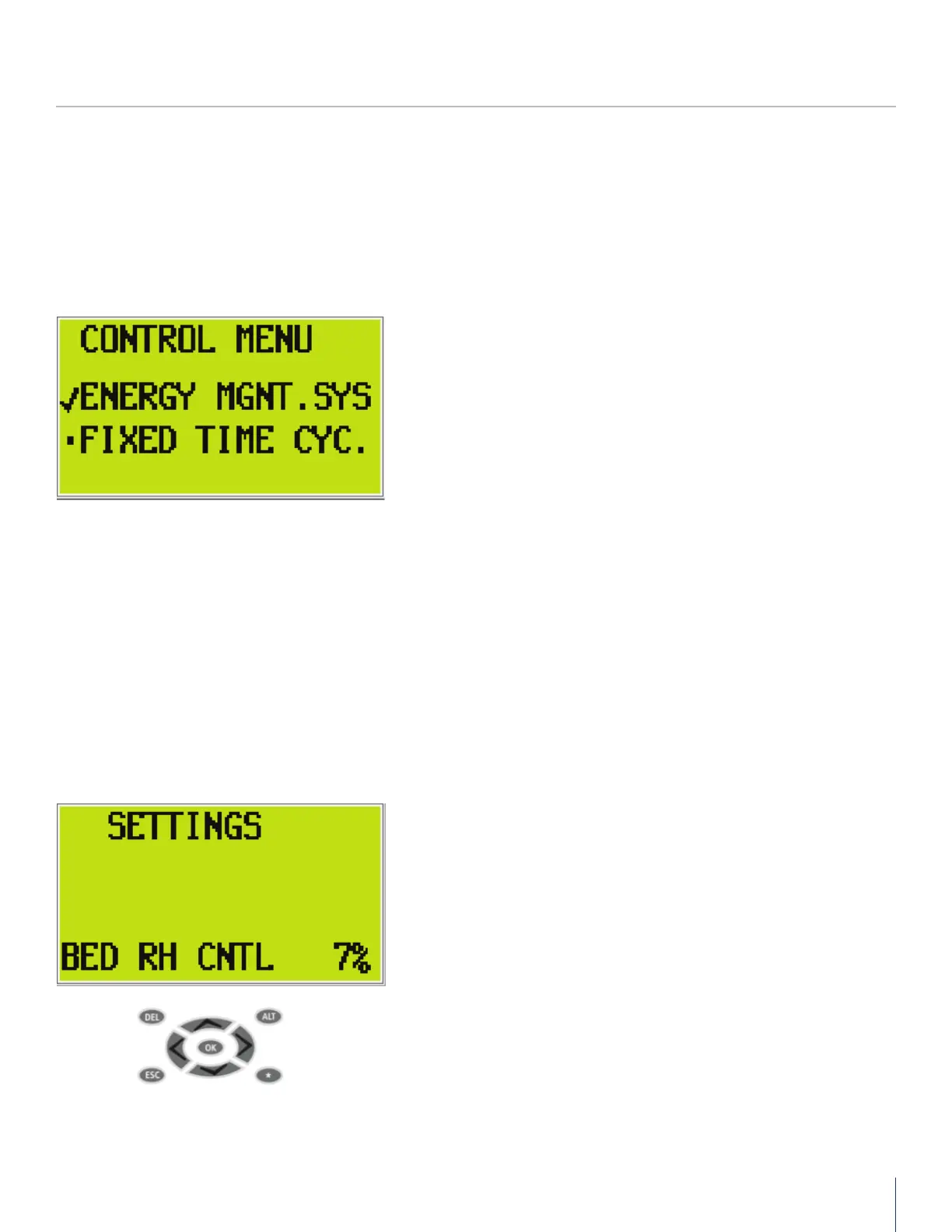
Control Menu Operation
Settings Screen Operation
CONTROL
MENU
AIRCEL PROGRAMMABLE CONTROLLER (APC)
• Push OK to engage the menu
• Scroll to the desired selection and push OK
Settings Screen: For use with optional dew point display and high
humidity alarm
• To engage, push OK then scroll to the desired set point to be
changed.
• Push OK on the set point to be changed and use the up or down
arros to change the set point.
• Push OK to complete the change and ESC to de-select the screen.
Push ESC again to exit to the main screen or use the left or right
arrows to scroll to the next screen.


 To Next Page