17
SCREENSAVER
Timer. Automatically switches o the zone after 30, 60 or 90 minutes.
On/O. Turn On and O the zone where the thermostat is located.
Airzone. A button used to conrm, return to home and to switch between the
heating set point and cooling set point.
To access Home Screen
When the screensaver is
active, press the Airzone
icon to get to the home
screen.
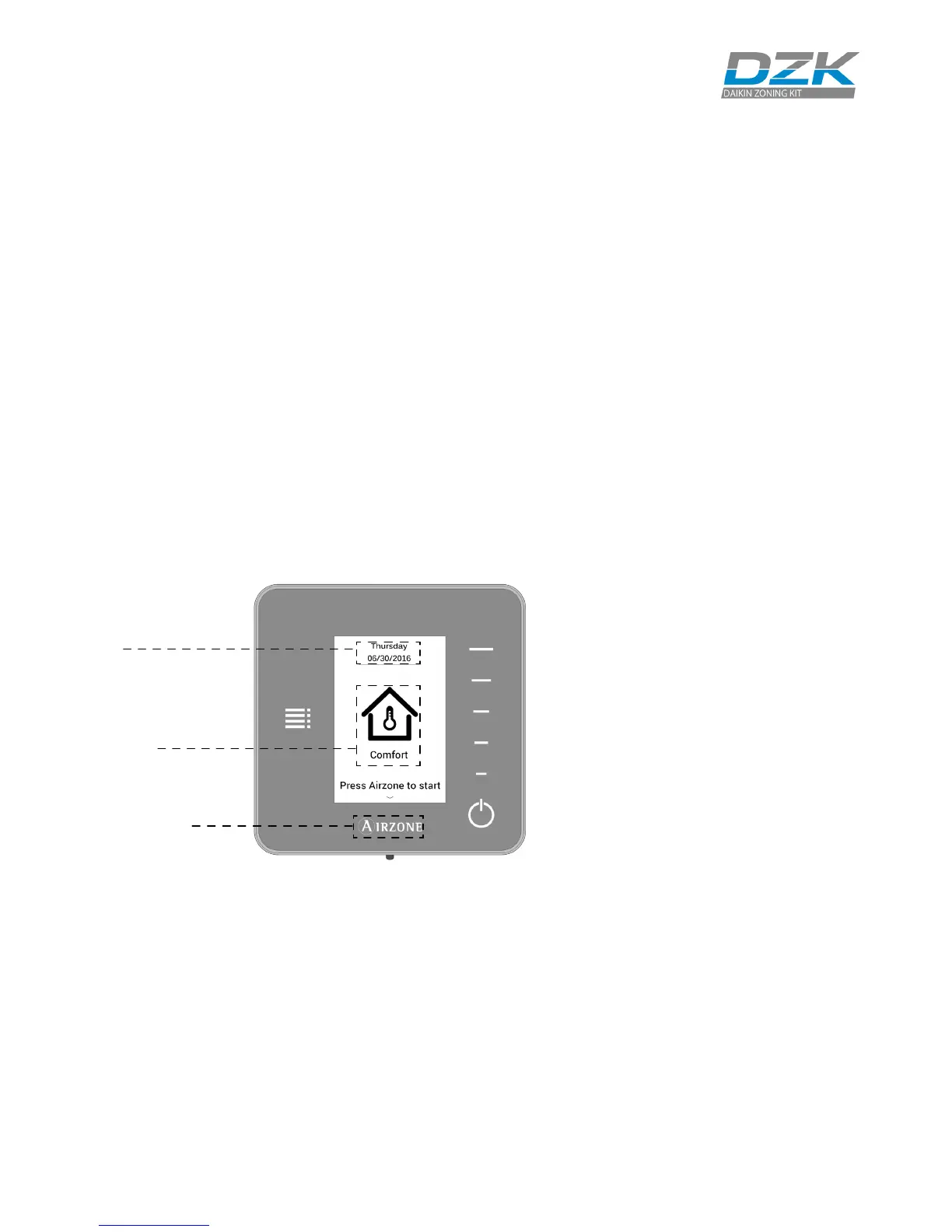
The screensaver activates after about 12 seconds of inactivity, displaying the
following information:
Date. Displays the date of system. It is dened by the Wired Thermostat in user
settings.
Zone Status. It displays information about the status of the zone: the state (on/
o) and the user mode. In case of failure, it also displays all the errors.
Airzone. A button used to conrm, return to home screen and to switch between
the heating set point and cooling set point.
Date
Zone Status
Home screen/
Heat/Cool Set point
temperature/
Conrm
Zone Demand. This icon will be displayed if the zone is calling for demand.
Local Ventilation. This option allows activation or deactivation of the ventilation
in the selected zone during system inactivity periods.



 To Next Page