2.Double click the downloaded program to install it (the installation steps of different versions are different. Please refer
to the official instructions of Microsoft for installation)
3.The software does not need to be installed independently. As long as the environment meets the requirements, double-
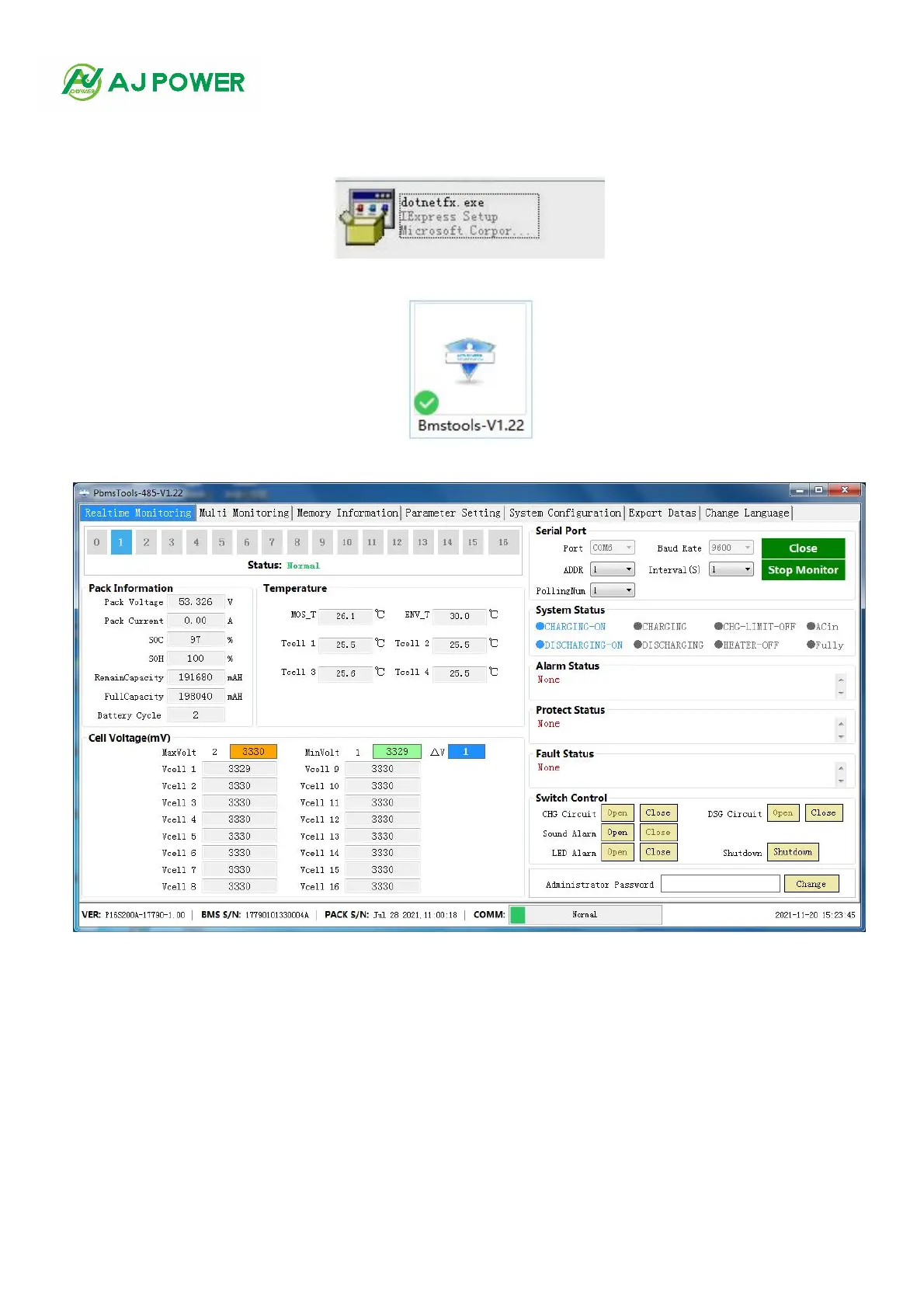
click the Bmstools v1.22. icon to run it. After running, the main interface of the software is displayed (see Figure 1-2)
Figure 1-1
Figure 1-2(Software main interface)
4.After opening the main interface (see Figure 1-2), the software will automatically search all existing serial ports. If an
effective serial port is found, it will automatically connect the serial port and communicate, and read battery information,
temperature information, unit voltage, system status, alarm status, protection status, fault status and other battery
parameters in real time.



 To Next Page